Free Shipping on Domestic Orders $75+

This translation was generated by a machine and has not been reviewed by a person yet. Speak this language? Review it.

HP 15-db0027nf Bottom Case Opening

What you need

    1. HP 15-db0027nf Bottom Case Opening, Bottom case: step 1, image 1 of 2 HP 15-db0027nf Bottom Case Opening, Bottom case: step 1, image 2 of 2
      • Remove the feet with a spudger.

      Ask FixBot

      Add Comment

    2. HP 15-db0027nf Bottom Case Opening: step 2, image 1 of 2 HP 15-db0027nf Bottom Case Opening: step 2, image 2 of 2
      • Remove the 11 Phillips screws using a PH0 screwdriver.

      • The screws are identical.

      Ask FixBot

      Add Comment

    3. HP 15-db0027nf Bottom Case Opening: step 3, image 1 of 2 HP 15-db0027nf Bottom Case Opening: step 3, image 2 of 2
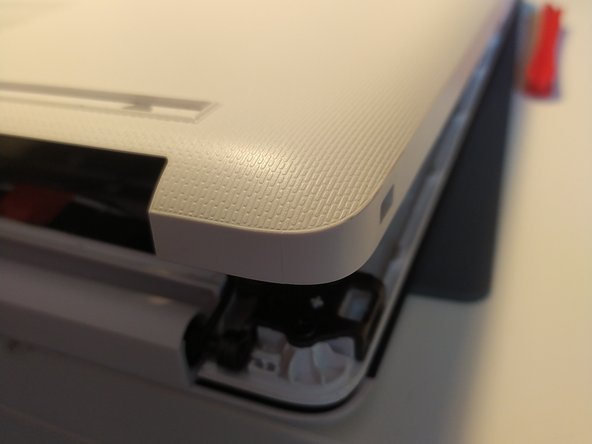
      • Insert a spudger between the bottom of the frame and the keyboard plate, and go around the computer to unclip the computer cover.

      • Remove the bottom cover from the computer.

      Ask FixBot

      Add Comment

    4. HP 15-db0027nf Bottom Case Opening: step 4, image 1 of 1
      • You now have access to the inside of the machine.

      Ask FixBot

      Add Comment

Conclusion

to reassemble the computer, clip back the cover to the computer then screw it back, and finally put the bottom stickers/feet back on (the thicker one goes on the screen side)

Cancel: I did not complete this guide.

One other person completed this guide.

Special thanks to these translators:

fr en

100%

Léo FRAYSSE is helping us fix the world! Want to contribute?
Start translating ›

Léo FRAYSSE

Member since: 09/03/18

1,455 Reputation

6 Guides authored

0 Guide Comments

Add Comment

View Statistics:

Past 24 Hours: 4

Past 7 Days: 15

Past 30 Days: 73

All Time: 1,490