Introduction
The hard drive archives data you want to store in your computer, weather it’s automated logs or your vacation photos. This guide will teach you how to replace the hard drive in your HP 15-db0015dx should you want an upgrade or a replacement. If you experience errors booting your computer, slow performance due to a full storage drive, or missing or corrupted files, replacement of the hard drive should alleviate these issues.
What you need
-
-
-
Power off the device before starting.
-
Remove the rubber strips that hide the screws using the spudger.
-
Flip the device and unscrew the eleven screws with a Phillips #0 screwdriver.
 Ask FixBot
-
-
-
Use the spudger tool to pry open the back cover.
-
Lift the back panel to access the inside.
-
Slide the CD drive to the left, and remove.
-
-
-
-
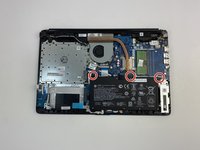
Unscrew the three battery screws with a Phillips #0 screwdriver.
-
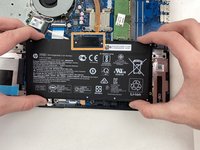
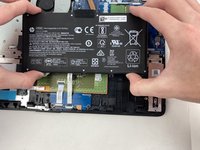
Lift the battery up, disconnecting the connector first.
-
Push forward and remove the battery.
-
-
-
-
-
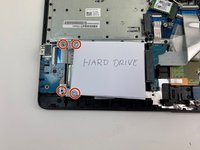
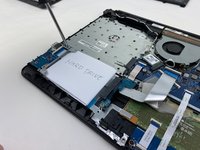
Remove the four screws on the hard drive bracket with a Phillips #0 screwdriver.
-
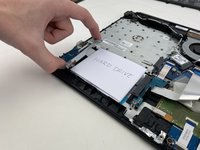
Pull the hard drive bracket out.
-
-
-
Remove the hard drive from the connector by sliding it to the left until the connector is disengaged.
-
-





To reassemble your device, follow these instructions in reverse order.
Cancel: I did not complete this guide.
6 other people completed this guide.

Team

Embry-Riddle Aeronautical University, Team S2-G5, Watkins Spring 2020 Member of Embry-Riddle Aeronautical University, Team S2-G5, Watkins Spring 2020
ERAU-WATKINS-S20S2G5
5 Members
84 Guides authored
