
HP 15-ay091ms Optical Disk Drive Replacement

Jossel Solis and 2 other contributors
Last updated on Dec 29, 2023
Views: 364
View statistics:
- Past 24 Hours:
- 1
- Past 7 Days:
- 12
- Past 30 Days:
- 56
- All Time:
- 364
Comments: 0
No one has left comments on this guide. Will you be first?
Go to guide commentsCompleted: 0 1
No one has marked this guide "completed." Will you be the first?
1 person has marked this guide "completed." It's you — great job!
Favorites: 0 1
No one has favorited (and subscribed to) this guide. Will you be the first?
1 person has favorited (and subscribed to) this guide — and that's you!
Introduction
Go to step 1 ↓This guide will instruct users in removing and replacing the optical disk drive of their HP 15-ay091ms device. The optical drive allows users to insert and play media on their device. The optical disk drive malfunctioning can become an issue for users who rely on this function.
What you need
Tools


-
-
-
Push the latches on either side of the battery down and outward.
-
Remove the battery.
 Ask FixBot
-
-
-
-
-
Remove the screws from the bottom panel using a JIS #0 screwdriver.
-
Use the iFixit opening pick to lift the back cover from the device.
-
-
-
-
-
-
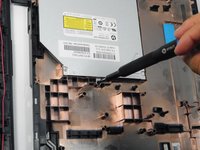
Remove the screws holding the optical drive in place using a JIS #0 screwdriver.
-
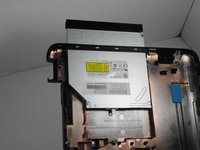
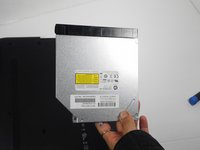
Pull the optical disk drive out of its slot.
-
-


To reassemble your device, follow these instructions in reverse order.

Team

Gateway, Team A-1, Gonzalez Fall 2023 Member of Gateway, Team A-1, Gonzalez Fall 2023
GCC-GONZALEZ-F23SAG1
4 Members
36 Guides authored
