
HP 15-ay014dx RAM Replacement

Drake Scoville and
Last updated on Jan 5, 2018
Views: 1.4K
View statistics:
- Past 24 Hours:
- 3
- Past 7 Days:
- 19
- Past 30 Days:
- 94
- All Time:
- 1,353
Comments: 0
No one has left comments on this guide. Will you be first?
Go to guide commentsCompleted: 7 8
7 people have marked this guide "completed." Will you be next?
8 people have marked this guide "completed." Including you — great job!
Favorites: 0 1
No one has favorited (and subscribed to) this guide. Will you be the first?
1 person has favorited (and subscribed to) this guide — and that's you!
What you need
Tools
-
Spudger4.9


Introduction
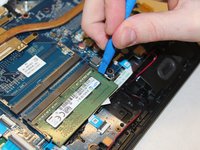
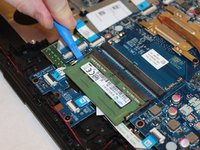
Go to step 1 ↓This guide will show you how to safely remove the RAM in your HP 15-ay014dx laptop for replacement.
-
-
-
With the device turned upside down, use your index fingers to push the battery latches in towards each other.
-
-
-
-
-
Close the laptop and lay it down with the bottom facing up.
-
Using a size #00 Phillips screw drive remove the screw holding in the optical drive.
-
-
-
-
-
Remove the 11 screws holding the body of the laptop together with a size #00 Phillips screwdriver.
-
-
-
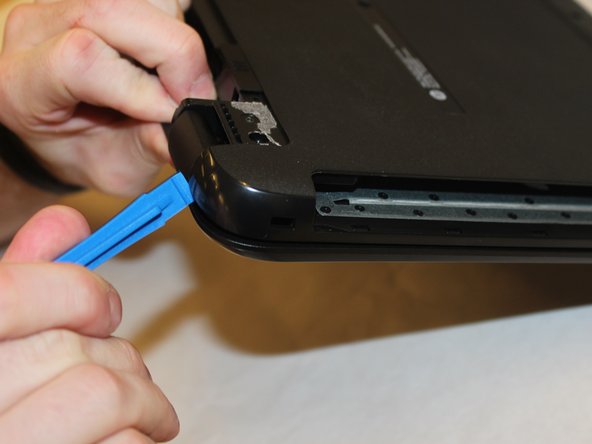
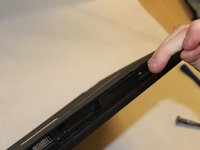
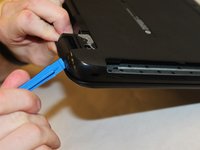
Use the spudger to press the tabs in the back of the computer. Carefully remove the back of the laptop by prying around the sides using the plastic opening tool.
-
-

 Ask FixBot





To reassemble your device, follow these instructions in reverse order.
Cancel: I did not complete this guide.
7 other people completed this guide.

Team

Washington State, Team S1-G4, Phelps-Hillen Fall 2017 Member of Washington State, Team S1-G4, Phelps-Hillen Fall 2017
WSU-PHELPS-HILLEN-F17S1G4
6 Members
84 Guides authored
