Free Shipping on Domestic Orders $75+

HP 15-af013cl Front Facing Camera Replacement

What you need

    1. HP 15-af013cl Front Facing Camera Replacement, Battery: step 1, image 1 of 1
      • Start off by flipping the laptop on its back.

      Ask FixBot

      Add Comment

    2. HP 15-af013cl Front Facing Camera Replacement: step 2, image 1 of 3 HP 15-af013cl Front Facing Camera Replacement: step 2, image 2 of 3 HP 15-af013cl Front Facing Camera Replacement: step 2, image 3 of 3
      • Push the two spring-loaded tabs inward.

      • Once unlatched, pull the battery out of its compartment.

      Ask FixBot

      Add Comment

    1. HP 15-af013cl Front Facing Camera Replacement, Screen: step 3, image 1 of 1
      • Flip the laptop over and have it open as you normally would.

      Ask FixBot

      Add Comment

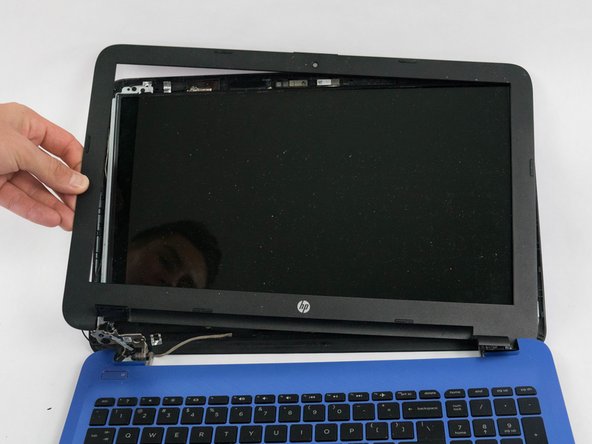
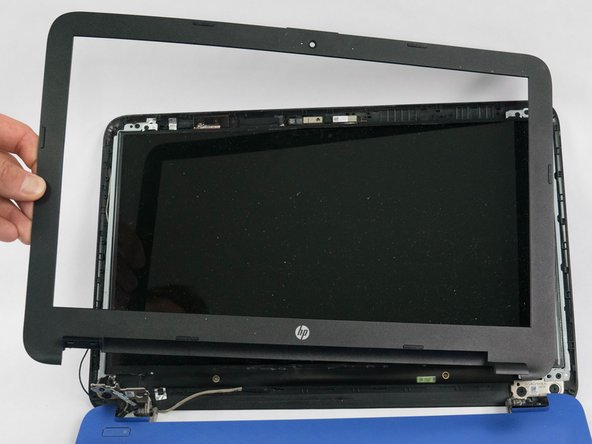
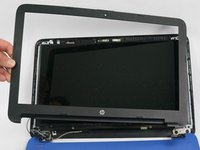
    2. HP 15-af013cl Front Facing Camera Replacement: step 4, image 1 of 3 HP 15-af013cl Front Facing Camera Replacement: step 4, image 2 of 3 HP 15-af013cl Front Facing Camera Replacement: step 4, image 3 of 3
      • Using a pry tool, unclip the entire outer plastic cover from the front of the screen.

      • Gently remove the front plastic cover.

      Ask FixBot

      Add Comment

    3. HP 15-af013cl Front Facing Camera Replacement: step 5, image 1 of 1
      • Remove the two 2.5mm × 3.0mm Phillips screws from each corner of the display.

      Ask FixBot

      Add Comment

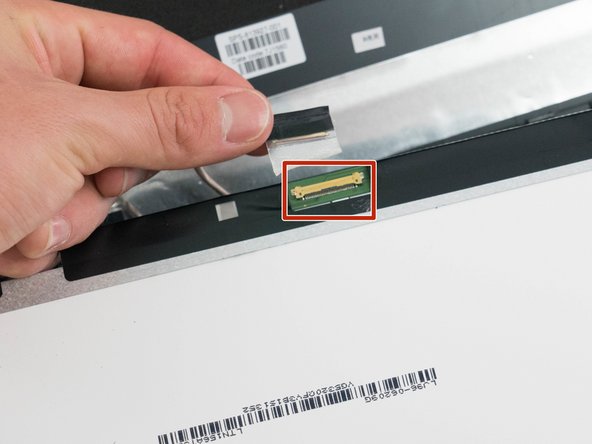
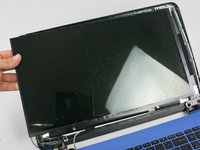
    4. HP 15-af013cl Front Facing Camera Replacement: step 6, image 1 of 2 HP 15-af013cl Front Facing Camera Replacement: step 6, image 2 of 2
      • Carefully lift the display out of the laptop shell and flip it on its front.

      • Disconnect the single cable from the back of the display.

      Ask FixBot

      Add Comment

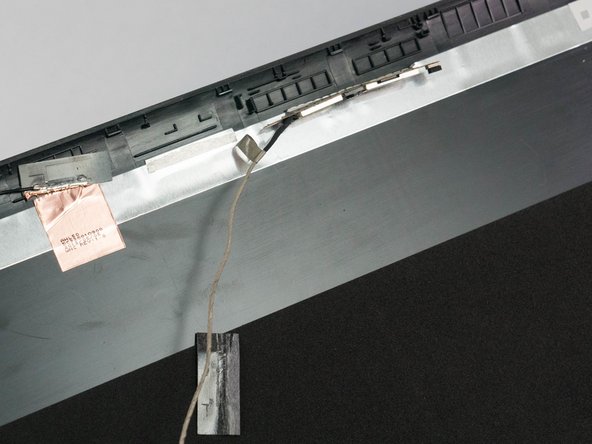
    1. HP 15-af013cl Front Facing Camera Replacement, Front Facing Camera: step 7, image 1 of 2 HP 15-af013cl Front Facing Camera Replacement, Front Facing Camera: step 7, image 2 of 2
      • The front camera is held in by light adhesive. Pry gently on the back of the camera in order to remove it.

      • Remove the cable from under the metal foil.

      Ask FixBot

      Add Comment

    2. HP 15-af013cl Front Facing Camera Replacement: step 8, image 1 of 1
      • Flip the laptop back over.

      • Using the Phillips P0 screwdriver, remove the 9 M2.5mm x 6.5mm screws from the bottom of the laptop.

      • Remove the additional 2 M2.0mm × 1.5mm Phillips screws located in the battery compartment.

      Ask FixBot

      Add Comment

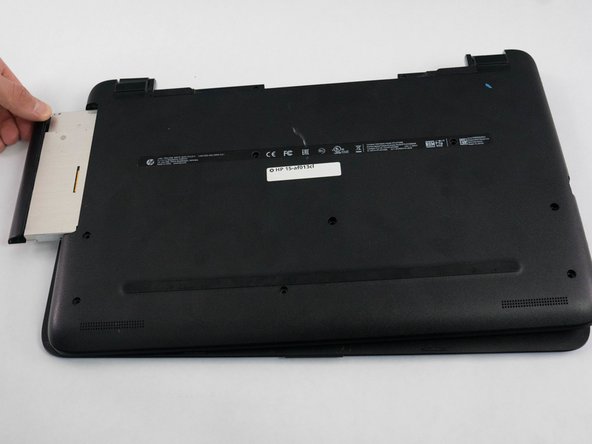
    3. HP 15-af013cl Front Facing Camera Replacement: step 9, image 1 of 2 HP 15-af013cl Front Facing Camera Replacement: step 9, image 2 of 2
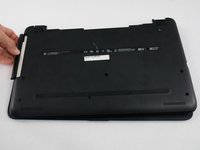
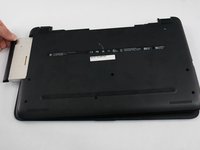
      • Remove the optical disk drive from the side of the laptop.

      Ask FixBot

      Add Comment

    4. HP 15-af013cl Front Facing Camera Replacement: step 10, image 1 of 1
      • Lift off the bottom cover, exposing the motherboard and other components underneath.

      Ask FixBot

      Add Comment

    5. HP 15-af013cl Front Facing Camera Replacement: step 11, image 1 of 1
      • Disconnect the display ribbon cable from the motherboard.

      Ask FixBot

      Add Comment

Conclusion

To reassemble your device, follow these instructions in reverse order.

Cancel: I did not complete this guide.

Stephen Perreira

Member since: 09/27/17

808 Reputation

6 Guides authored

Team

Cal Poly, Team S8-G6, Banghart Fall 2017 Member of Cal Poly, Team S8-G6, Banghart Fall 2017

CPSU-BANGHART-F17S8G6

5 Members

72 Guides authored

0 Guide Comments

Add Comment

View Statistics:

Past 24 Hours: 0

Past 7 Days: 5

Past 30 Days: 27

All Time: 750