
HP 14-dq0052dx Screen Replacement

Liam Harvey and one other contributor
Last updated on Jan 2, 2025
Views: 811
View statistics:
- Past 24 Hours:
- 4
- Past 7 Days:
- 24
- Past 30 Days:
- 102
- All Time:
- 811
Comments: 0
No one has left comments on this guide. Will you be first?
Go to guide commentsCompleted: 2 3
2 people have marked this guide "completed." Will you be next?
3 people have marked this guide "completed." Including you — great job!
Favorites: 0 1
No one has favorited (and subscribed to) this guide. Will you be the first?
1 person has favorited (and subscribed to) this guide — and that's you!
Better Introduction
Improve this guide by completing or revising its introduction.
Introduction
Go to step 1 ↓Screen replacement is very simple on this laptop, needing only a few tools 5-10 minutes.
What you need
Tools

-
-
-
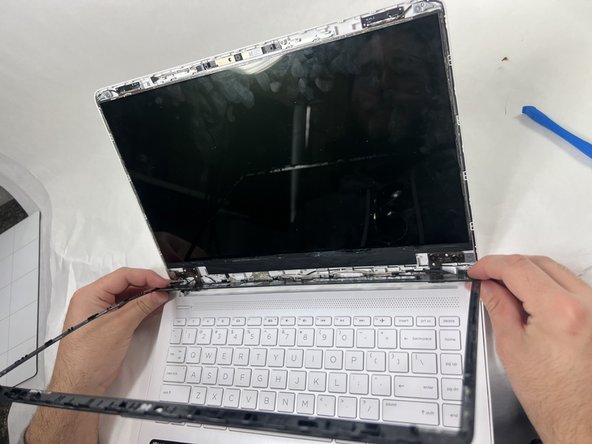
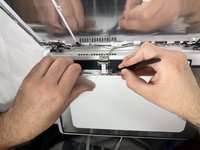
Using an opening tool, carefully pry off the thin black plastic around the edges of the screen.
-
-
-
-
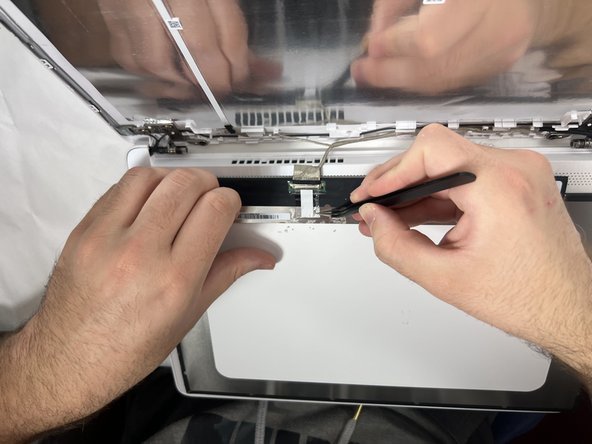
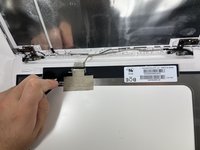
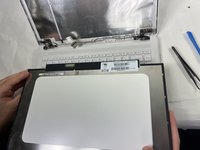
Pull out the double sided tape holding the screen in place.
-
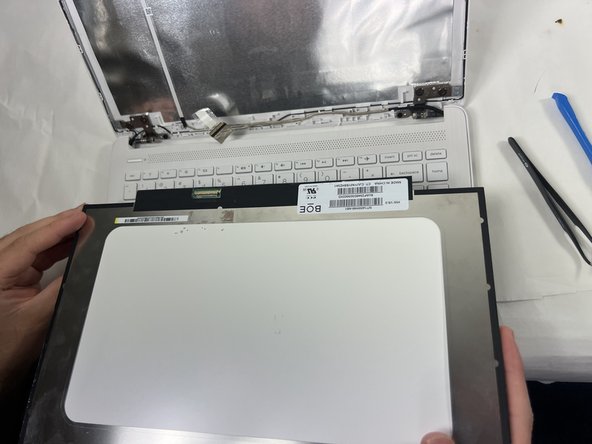
Lay the screen down on the keyboard.
-

 Ask FixBot



To reassemble your device, follow these instructions in reverse order.
Cancel: I did not complete this guide.
2 other people completed this guide.

Team

UMass Dartmouth, Team 2-5, Konn Fall 2024 Member of UMass Dartmouth, Team 2-5, Konn Fall 2024
UMASSD-KONN-F24S2G5
4 Members
60 Guides authored
