Introduction
This guide will demonstrate how to replace the RAM on an HP 14-an012nr. This guide can apply to your device if there has been a noticeable increase in load times or poor performance in executing tasks. In addition to this, an upgrade might be suitable in order to run more demanding programs.
What you need
-
-
-
-
Remove the eight 6 mm screws from the back panel using a Phillips #1 screwdriver.
-
Remove the rubber pads from the upper corners of the laptop to reveal two screws on each side.
-
Remove six 4 mm screws using a Phillips #1 screwdriver.
-
Pry the back panel off using an opening tool, working your way around the edges.
-
-
-
-
-
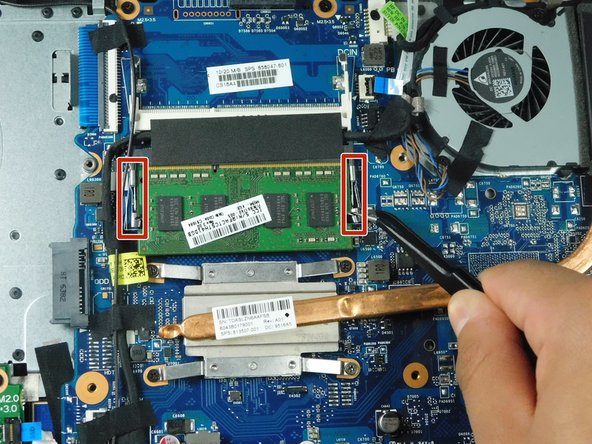
Push the two silver retaining arms apart at the same time.
-
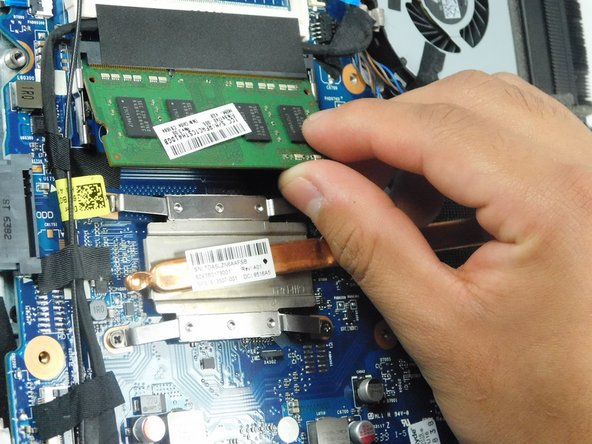
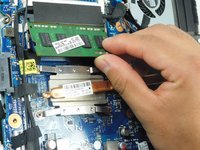
As soon as the RAM pops out, remove it.
-
-


 Ask FixBot


To reassemble your device, follow these instructions in reverse order.
Cancel: I did not complete this guide.
3 other people completed this guide.

Team

Gateway, Team 2-2, Gonzalez Fall 2023 Member of Gateway, Team 2-2, Gonzalez Fall 2023
GCC-GONZALEZ-F23S2G2
5 Members
60 Guides authored
2 Guide Comments
Buenos días disculpe quien me puede pasar el manual de laptop hp 14-af116la o el diagrama de piensas por favor
Seme descompuso mi pñlaotop hp pavilon y quiciera ver quién me puede apoyar con el manual de hp 14-af116la para poder ver las fallas que tiene y también si me pudieran apoyar con el diagrama de la laptop la verdad la estuve buscando en la página de hp soporte y nomás no me salió nada y mandé mensaje y no me dieron nada que gachos la verdad por eso estoy pidiendo su apoyo yo sé que más de uno me va apoyar pues así somos todo cuando ay un apuro todos ayudamos y la verdad que los buenos y los que nos apoyamos somos muchos yo les agradezco de corazón por su ayuda
