
HP 14-am052nr Webcam Replacement

Paige Fonseca and 2 other contributors
Last updated on Dec 29, 2021
Views: 389
View statistics:
- Past 24 Hours:
- 1
- Past 7 Days:
- 18
- Past 30 Days:
- 69
- All Time:
- 389
Comments: 0
No one has left comments on this guide. Will you be first?
Go to guide commentsCompleted: 1 2
1 person has marked this guide "completed." Will you be next?
2 people have marked this guide "completed." Including you — great job!
Favorites: 0 1
No one has favorited (and subscribed to) this guide. Will you be the first?
1 person has favorited (and subscribed to) this guide — and that's you!
Needs Better Images
Better photos will improve this guide. Help out by taking, editing, or uploading new ones!
Better Introduction
Improve this guide by completing or revising its introduction.
Introduction
Go to step 1 ↓Is the camera on your device not taking photos? Are the images and videos from your camera blurry or dark? If so, the webcam may be faulty and needs to be replaced. Follow the instructions in this guide to remove and replace the webcam in the HP 14-am052nr laptop.
What you need
Tools


-
-
-
Using a Phillips #0 screwdriver, remove six 1.5 mm screws surrounding the screen.
-
-
-
-
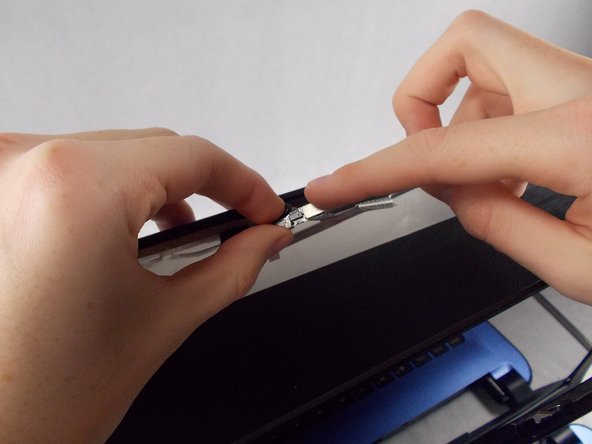
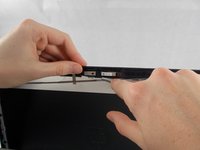
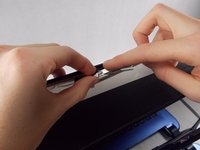
Detach the webcam pin connector and completely remove the webcam from the device.
-

 Ask FixBot



To reassemble your device, follow these instructions in reverse order.
Cancel: I did not complete this guide.
One other person completed this guide.

Team

UMass Dartmouth, Team 3-3, Sinclaire Fall 2021 Member of UMass Dartmouth, Team 3-3, Sinclaire Fall 2021
UMASSD-SINCLAIRE-F21S3G3
3 Members
84 Guides authored
