Free Shipping on Domestic Orders $75+

HP 14-ac151nr Coin Cell Battery Replacement

What you need

  1. HP 14-ac151nr Coin Cell Battery Replacement, Backplate: step 1, image 1 of 1
    • Remove battery by pushing the two buttons inward.

    Ask FixBot

    Add Comment

  2. HP 14-ac151nr Coin Cell Battery Replacement: step 2, image 1 of 1
    • Remove the two rubber feet next to the battery.

    Ask FixBot

    Add Comment

  3. HP 14-ac151nr Coin Cell Battery Replacement: step 3, image 1 of 1
    • Remove all 14 Phillips head #0 screws.

    Ask FixBot

    Add Comment

  4. HP 14-ac151nr Coin Cell Battery Replacement: step 4, image 1 of 1
    • Use a plastic opener tool to pry off the black backplate.

    Ask FixBot

    Add Comment

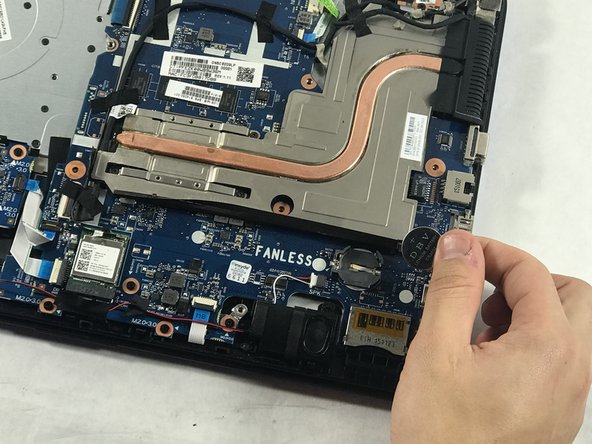
  5. HP 14-ac151nr Coin Cell Battery Replacement, Coin Cell Battery: step 5, image 1 of 1
    • Use a spudger and a plastic opener to push back the lock holding the battery in place.

    Ask FixBot

    Add Comment

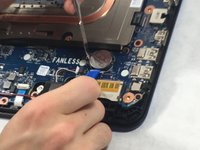
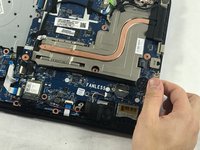
  6. HP 14-ac151nr Coin Cell Battery Replacement: step 6, image 1 of 2 HP 14-ac151nr Coin Cell Battery Replacement: step 6, image 2 of 2
    • Remove the battery by pushing back the lock with the wedge while pulling the battery up.

    Ask FixBot

    Add Comment

Conclusion

To reassemble your device, follow these instructions in reverse order.

Cancel: I did not complete this guide.

Jack Coakley

Member since: 10/23/18

231 Reputation

2 Guides authored

Team

0 Guide Comments

Add Comment

View Statistics:

Past 24 Hours: 0

Past 7 Days: 4

Past 30 Days: 51

All Time: 745