
HMDX Chill Front Buttons Replacement

Jourdan Holubasch and 10 other contributors
Last updated on Mar 28, 2023
Views: 875
View statistics:
- Past 24 Hours:
- 4
- Past 7 Days:
- 20
- Past 30 Days:
- 95
- All Time:
- 875
Comments: 2
1 comment on steps, 1 guide comment.
Go to guide commentsCompleted: 0 1
No one has marked this guide "completed." Will you be the first?
1 person has marked this guide "completed." It's you — great job!
Favorites: 0 1
No one has favorited (and subscribed to) this guide. Will you be the first?
1 person has favorited (and subscribed to) this guide — and that's you!
Introduction
Go to step 1 ↓If the buttons on the HMDX Chill no longer function properly, you will need to disassemble and replace the buttons. This guide will walk you through removing the buttons from the HMDX Chill without breaking them. This guide also gives you information on how to replace new buttons easily.
What you need
Tools


-
-
-
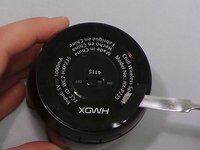
Insert a metal spudger under the rubber base.
-
Pry the rubber base off.
 Ask FixBot
-
-
-
Use a Phillips #1 screwdriver to remove four 9 mm screws from the base of the device.
-
-
-
-
-
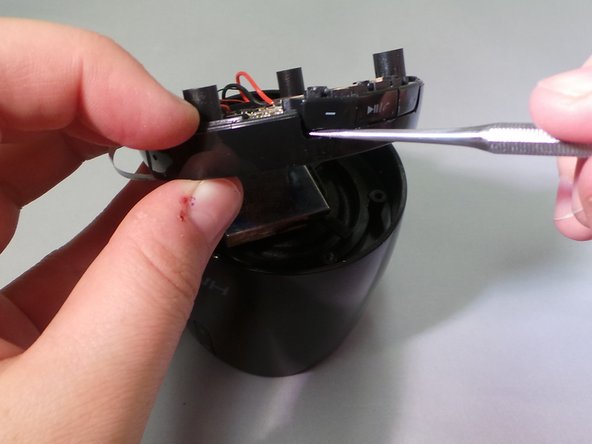
Using a metal spudger, push the small latch upwards towards the button from the bottom of the base.
-
-
-
-
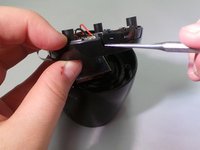
Insert a spudger into the slit between the bottom of the buttons and the speaker base.
-
Push the buttons upwards, away from the base, until they come loose.
-
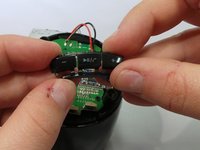
Use your hand to pull the linked buttons off the base.
-
-







To reassemble your device, follow these instructions in reverse order.


