
HKC P886A LCD Replacement

Cassidy and 4 other contributors
Last updated on Dec 1, 2017
Views: 1K
View statistics:
- Past 24 Hours:
- 1
- Past 7 Days:
- 13
- Past 30 Days:
- 90
- All Time:
- 1,047
Comments: 0
No one has left comments on this guide. Will you be first?
Go to guide commentsCompleted: 1 2
1 person has marked this guide "completed." Will you be next?
2 people have marked this guide "completed." Including you — great job!
Favorites: 0 1
No one has favorited (and subscribed to) this guide. Will you be the first?
1 person has favorited (and subscribed to) this guide — and that's you!
Needs More Images
A few more images would make this guide's procedures crystal clear.
Introduction
Go to step 1 ↓This guide will walk the user through the basic steps necessary to replace the LCD screen on the HKC p886a 8" tablet.
What you need
Tools
-
-
Spudger4.9


-
-
-
Insert the flat tip of the metal spudger into the seam between the back panel and the screen.
-
Slide the spudger across the perimeter of the device and gently pry apart at each corner.
-
After the pressure clamps are released orient the device so that the speaker is to the right and the screen is tilted away from you.
 Ask FixBot
-
-
-
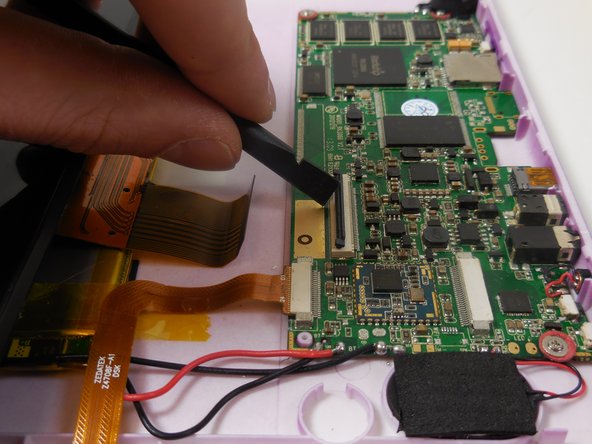
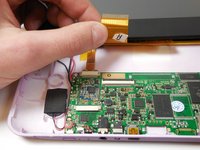
Locate the shorter ribbon cable and the black pressure tabs that hold the ribbon cable in place.
-
Use the plastic spudger to gently slide the tabs about 2mm away from connector.
-
-
-
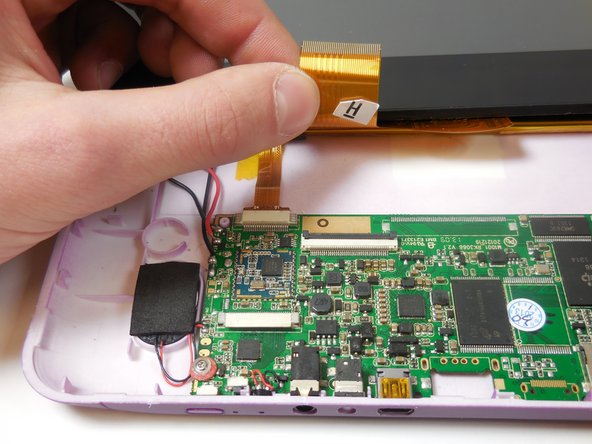
Locate the longer ribbon cable and the pressure clamp that holds the cable in the connection port.
-
Using the plastic spudger, flip the black locking clip up.
-
Once the clip is unlocked, the cable should slide out without resistance
-
-
-
-
-
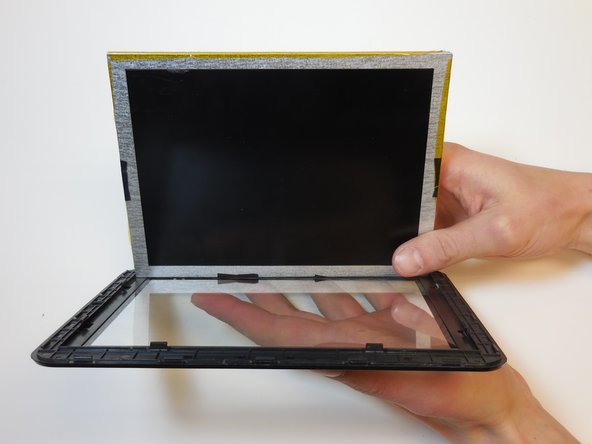
Gently bend the matrix away from the screen to release the pressure clamps.
-
Bend one side at a time applying equal force in order to reduce stress on the matrix from the bending.
-
Once all pressure clamps are disengaged, separate the screen and matrix without touching the front of either component.
-
Replacement matrices can be found at this link: screensurgeons.com
-
-
-
-
To reassemble to display, seat the LCD screen in the pressure clamps and gently push components together.
-
-




To reassemble your device, follow these instructions in reverse order.
Cancel: I did not complete this guide.
One other person completed this guide.

Team

Colorado Springs, Team 5-2, Panko Spring 2015 Member of Colorado Springs, Team 5-2, Panko Spring 2015
UCCS-PANKO-S15S5G2
3 Members
48 Guides authored
