Free Shipping on Domestic Orders $75+

HKC P776A Screen Replacement

What you need

    1. HKC P776A Screen Replacement, Separating Digitizer and Case: step 1, image 1 of 1
      • Insert the plastic opening tool between the digitizer and the case.

      • Place the spudger in the gap created by the plastic opening tool to assist in separation.

      Ask FixBot

      Add Comment

    2. HKC P776A Screen Replacement: step 2, image 1 of 2 HKC P776A Screen Replacement: step 2, image 2 of 2
      • Slide the spudger along the perimeter of the device to fully separate the two pieces.

      Ask FixBot

      Add Comment

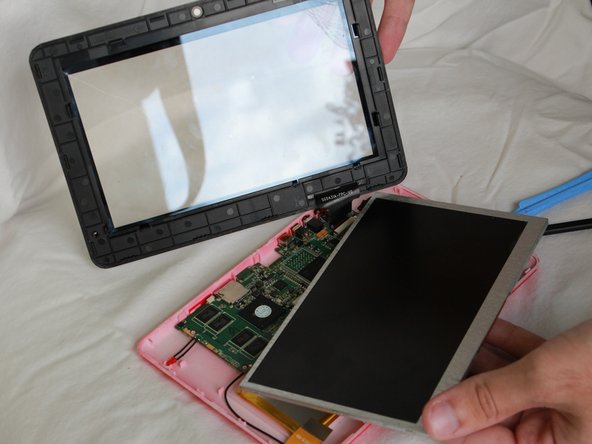
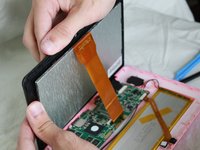
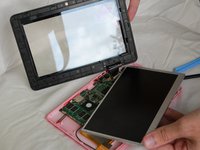
    1. HKC P776A Screen Replacement, Separating the Screen and Digitizer: step 3, image 1 of 2 HKC P776A Screen Replacement, Separating the Screen and Digitizer: step 3, image 2 of 2
      • Use your fingers to pop the screen out from the digitizer.

      Ask FixBot

      Add Comment

    2. HKC P776A Screen Replacement, Removing the Optical Cord from the Motherbaord: step 4, image 1 of 1
      • With the plastic opening tool, lift the black latch up.

      Ask FixBot

      Add Comment

    3. HKC P776A Screen Replacement: step 5, image 1 of 1
      • Pull the optical cord out from the motherboard.

      Ask FixBot

      Add Comment

Conclusion

To reassemble your device, follow these instructions in reverse order.

Cancel: I did not complete this guide.

Spencer Pheasant

Member since: 01/20/15

301 Reputation

3 Guides authored

Team

USF Tampa, Team 7-6, Remmell Winter 2015 Member of USF Tampa, Team 7-6, Remmell Winter 2015

USFT-REMMELL-W15S7G6

3 Members

84 Guides authored

0 Guide Comments

Add Comment

View Statistics:

Past 24 Hours: 1

Past 7 Days: 1

Past 30 Days: 17

All Time: 445