Grace Digital Mondo Motherboard Replacement

Nathaniel Brabham and 3 other contributors
Last updated on May 18, 2016
Views: 4.4K
View statistics:
- Past 24 Hours:
- 4
- Past 7 Days:
- 31
- Past 30 Days:
- 106
- All Time:
- 4,425
Comments: 4
3 comments on steps, 1 guide comment.
Go to guide commentsCompleted: 2 3
2 people have marked this guide "completed." Will you be next?
3 people have marked this guide "completed." Including you — great job!
Favorites: 1 2
1 person has favorited (and subscribed to) this guide. Will you be next?
2 people have favorited (and subscribed to) this guide — including you!
Introduction
Go to step 1 ↓The replacement for your device's motherboard requires a little extra effort than the other components in the device, but is still easily manageable with a soldering kit. With the little amount of desoldering required for this project, a YouTube video undergoing basic safety precautions and soldering kit use is recommended.
What you need
Tools
-
-
-
Spudger4.9


-
-
-
Remove (2) screws (14 mm) with a PH1 screwdriver on the device.
-
There is one screw on the back left, and another just below it on the bottom of the device.
 Ask FixBot
-
-
-
Use a plastic spudger to remove the front preset selection buttons.
-
Gently reach underneath and pull off the mesh speaker cover. It only clips in so don't worry about breaking anything.
-
-
-
Remove (4) screws (14 mm) with a PH1 screwdriver on the front panel by the speaker.
-
-
-
-
Move the metal spudger around the front panel to remove any adhesive attaching the front panel to the device.
-
Pull apart the front panel from the device with help from the metal spudger.
-
-
-
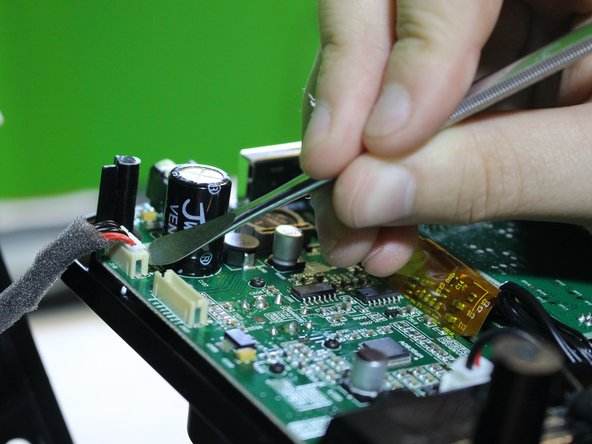
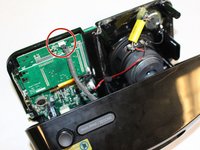
Detach a pin connector at the top of the device using a metal spudger to open up the inner components.
-
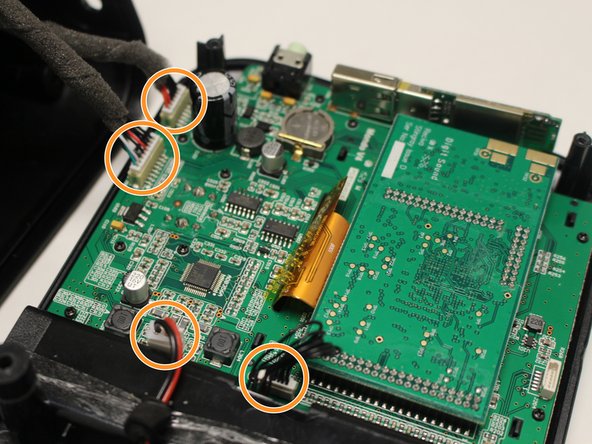
Detach (4) pin connectors inside using a metal spudger to separate the front panel from the rest of the device.
-
-
-
-
-
Remove (10) screws (10 mm) with a PH1 screwdriver on the display board.
-
-


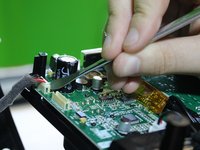
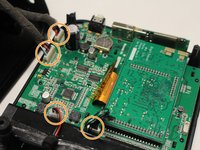


To reassemble your device, follow these instructions in reverse order.
Cancel: I did not complete this guide.
2 other people completed this guide.

Team

USF Tampa, Team 6-3, Eyestone Spring 2016 Member of USF Tampa, Team 6-3, Eyestone Spring 2016
USFT-EYESTONE-S16S6G3
4 Members
96 Guides authored
1 Guide Comment
Nice guide. My Mondo Wi-Fi went flaky (read “died”) so I disassembled using this guide to check out the wi-fi adapter plugged into the internal USB port. Turned out the little adhesive they apply to keep the adapter in the USB port sort of flowed over the adapter. Cleaned the adapter and plugged into the USB port on the rear of the radio and I’m back with a working Mondo. Glad iFixit does more than just computers and phones and pads (though it seems the Mondo is really a little Linux box).
