Free Shipping on Domestic Orders $75+

Google Pixel C Headphone Jack Replacement

What you need

    1. Google Pixel C Headphone Jack Replacement, Screen: step 1, image 1 of 1
      • Ensure that the device is completely powered down before beginning to take it apart

      • Use a heat gun to melt the adhesive that holds the screen to the device

      • Move the heat gun around the edge of the screen for approximately 1 minute, or until the screen can be lifted off in the next step.

      • Make sure not to heat the screen for too long because too much can damage other components inside the tablet.

      Ask FixBot

      Add Comment

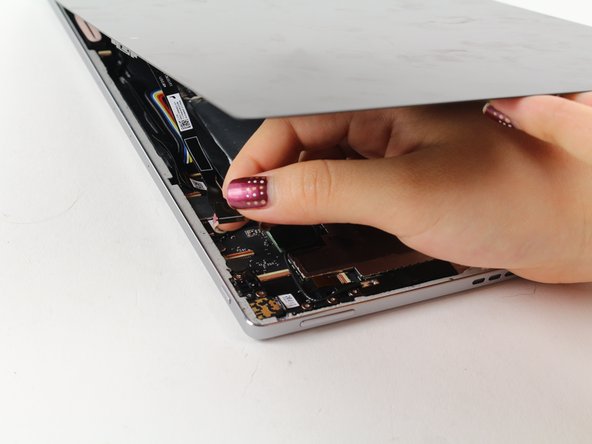
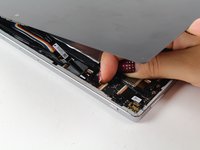
    2. Google Pixel C Headphone Jack Replacement: step 2, image 1 of 2 Google Pixel C Headphone Jack Replacement: step 2, image 2 of 2
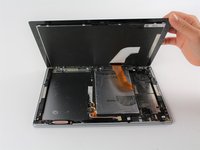
      • Use a suction cup to assist in lifting the screen while prying around its edges with a plastic spudger.

      • If necessary use a metal spudger to pry the screen up, taking care not to scratch the device.

      • Be careful not to pull the screen too far off. It will still be attached to the device by a cable for the front facing camera and the wide display data cable.

      • Reattaching the screen will require adhesive to ensure that it stays in place.

      Ask FixBot

      Add Comment

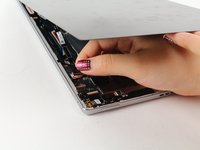
    3. Google Pixel C Headphone Jack Replacement: step 3, image 1 of 2 Google Pixel C Headphone Jack Replacement: step 3, image 2 of 2
      • Detach the cables for the camera by lifting the small flap using the tip of your fingernail or a spudger. Gently pull the ribbon cable out.

      Ask FixBot

      Add Comment

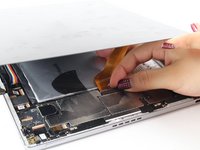
    4. Google Pixel C Headphone Jack Replacement: step 4, image 1 of 2 Google Pixel C Headphone Jack Replacement: step 4, image 2 of 2
      Tool used on this step:
      Tweezers
      $4.99
      Buy
      • Follow the same removal procedure to detach the wide gold cable.

      • When reattaching cables, it is helpful to use tweezers to slide the cable in before securing it down with the flap.

      • This device is missing a battery, so the device that you are working on may appear slightly different inside.

      Ask FixBot

      Add Comment

    1. Google Pixel C Headphone Jack Replacement, Headphone Jack: step 5, image 1 of 1
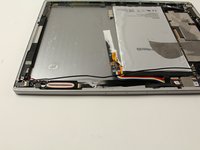
      • Orient the device so that the headphone jack is in the bottom right corner.

      Ask FixBot

      Add Comment

    2. Google Pixel C Headphone Jack Replacement: step 6, image 1 of 2 Google Pixel C Headphone Jack Replacement: step 6, image 2 of 2
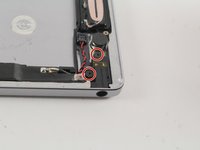
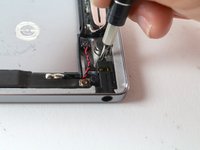
      • Remove the two 3.5mm Phillips #000 screws.

      Ask FixBot

      Add Comment

    3. Google Pixel C Headphone Jack Replacement: step 7, image 1 of 1
      • Locate and remove the two 2.5mm Phillips #000 screws on either side of the wire coil.

      Ask FixBot

      Add Comment

    4. Google Pixel C Headphone Jack Replacement: step 8, image 1 of 2 Google Pixel C Headphone Jack Replacement: step 8, image 2 of 2
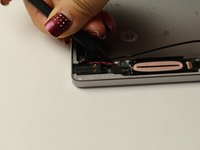
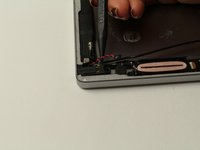
      • Detach the red and black cable using a narrow spudger.

      Ask FixBot

      Add Comment

    5. Google Pixel C Headphone Jack Replacement: step 9, image 1 of 2 Google Pixel C Headphone Jack Replacement: step 9, image 2 of 2
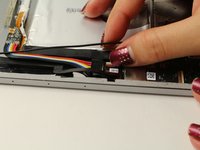
      • Detach the cable connecting to the headphone jack.

      Ask FixBot

      Add Comment

    6. Google Pixel C Headphone Jack Replacement: step 10, image 1 of 2 Google Pixel C Headphone Jack Replacement: step 10, image 2 of 2
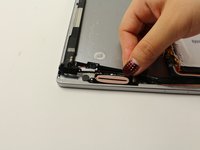
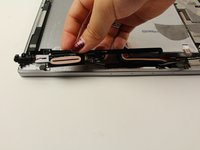
      • Lift the headphone jack, coiled wire, and cable, peeling the adhesive back.

      • Reassembly will require adhesive to ensure that the components are secured to the device.

      Ask FixBot

      Add Comment

Conclusion

To reassemble your device, follow these instructions in reverse order.

Cancel: I did not complete this guide.

Deborah Iwakiri

Member since: 04/25/17

522 Reputation

2 Guides authored

Team

Cal Poly, Team S21-G4, Livingston Spring 2017 Member of Cal Poly, Team S21-G4, Livingston Spring 2017

CPSU-LIVINGSTON-S17S21G4

4 Members

60 Guides authored

0 Guide Comments

Add Comment

View Statistics:

Past 24 Hours: 2

Past 7 Days: 5

Past 30 Days: 24

All Time: 1,402