
Google Pixel 9 Pro Fold SIM Card Tray Replacement

Last updated on Oct 28, 2024
Views: 959
View statistics:
- Past 24 Hours:
- 5
- Past 7 Days:
- 31
- Past 30 Days:
- 98
- All Time:
- 959
Comments: 0
No one has left comments on this guide. Will you be first?
Go to guide commentsCompleted: 1 2
1 person has marked this guide "completed." Will you be next?
2 people have marked this guide "completed." Including you — great job!
Favorites: 0 1
No one has favorited (and subscribed to) this guide. Will you be the first?
1 person has favorited (and subscribed to) this guide — and that's you!
Introduction
Go to step 1 ↓This repair guide was authored by the iFixit staff and hasn’t been endorsed by Google. Learn more about our repair guides here.
Use this guide to replace the SIM card tray in your Google Pixel 9 Pro Fold.
What you need
Tools

-
-
-
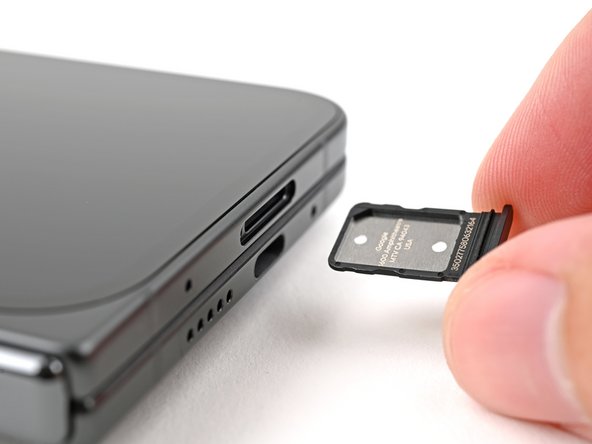
Insert a SIM eject tool, bit, or straightened paper clip into the SIM card tray hole and press firmly to eject it.
-
Remove the SIM card tray.
 Ask FixBot
-
-
-




For more Google Pixel 9 Pro Fold guides, click here.
Cancel: I did not complete this guide.
One other person completed this guide.


