
Giant Reign 2 Headset Replacement

Sterling Grande and 10 other contributors
Last updated on Oct 17, 2016
Views: 4.9K
View statistics:
- Past 24 Hours:
- 3
- Past 7 Days:
- 22
- Past 30 Days:
- 132
- All Time:
- 4,931
Comments: 0
No one has left comments on this guide. Will you be first?
Go to guide commentsCompleted: 1 2
1 person has marked this guide "completed." Will you be next?
2 people have marked this guide "completed." Including you — great job!
Favorites: 10 11
10 people have favorited (and subscribed to) this guide. Will you be next?
11 people have favorited (and subscribed to) this guide — including you!
Needs More Images
A few more images would make this guide's procedures crystal clear.
Introduction
Go to step 1 ↓Proper maintenance of the Giant Reign 2 bicycle includes installation and lubrication of a new headset. This guide will clearly show you how to perform this maintenance quickly and safely, extending the life of your bike.
What you need
Tools


-
-
-
Using the 4mm Allen wrench, partially unscrew the 4 (22mm) hex screws on the front of the axle casing to allow the axle to slide freely.
 Ask FixBot
-
-
-
Using the 8mm Allen wrench, loosen the axle screw until 1/2 of the axle screw is visible.
-
Push the axle screw to reveal the axle rod on the other side.
-
-
-
-
-
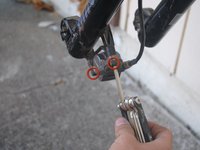
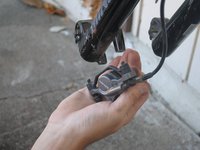
Using the 8mm Allen wrench, unscrew 2 (32mm) screws to release the brake calipers from the fork.
-
-
-
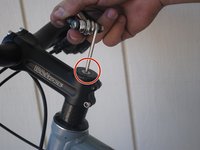
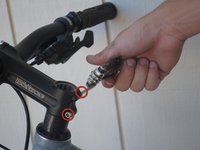
Using the 8mm Allen wrench, unscrew the 30mm head screw located on top of the steam.
-
Using the 4mm Allen wrench, loosen the side screw on both sides.
-
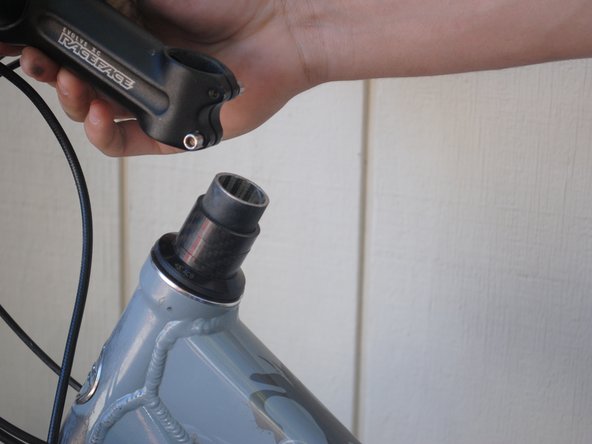
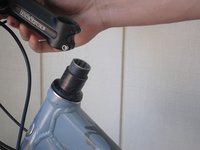
Lift off the handlebar.
-
-
-
-
Apply WD-40 to both ends of the headset and bearings.
-
Dry headset and bearings with paper towels.
-
Repeat as necessary until clean.
-
-
-
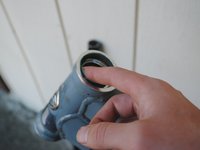
Using your finger, apply all-purpose lube to the bearings and each end of the headset.
-
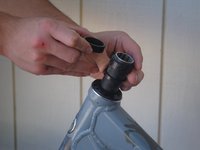
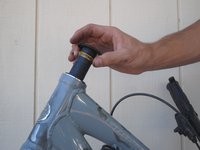
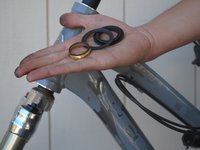
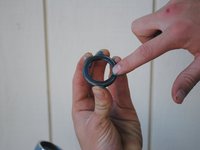
Insert the bearings into the headset with the beveled side facing into the headset.
-
-








To reassemble your device, follow these instructions in reverse order.
Cancel: I did not complete this guide.
One other person completed this guide.

Team

Cal Poly, Team 9-14, Amido Fall 2012 Member of Cal Poly, Team 9-14, Amido Fall 2012
CPSU-AMIDO-F12S9G14
4 Members
72 Guides authored
