
Generic TV Remote IR LED Replacement

Geoffrey Smith and 7 other contributors
Last updated on Jun 15, 2021
Views: 16K
View statistics:
- Past 24 Hours:
- 8
- Past 7 Days:
- 62
- Past 30 Days:
- 261
- All Time:
- 15,896
Comments: 0
No one has left comments on this guide. Will you be first?
Go to guide commentsCompleted: 3 4
3 people have marked this guide "completed." Will you be next?
4 people have marked this guide "completed." Including you — great job!
Favorites: 4 5
4 people have favorited (and subscribed to) this guide. Will you be next?
5 people have favorited (and subscribed to) this guide — including you!
Introduction
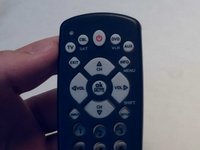
Go to step 1 ↓If you are experiencing an unresponsive TV remote it could be due to a malfunctioning Infrared (IR) LED. The IR LED emits a signal recepted by the TV which allows the user to adjust and control the features of their TV. In this guide you will find how to repair your remote by replacing the IR LED.
Be sure to remove the battery prior to beginning the repair.
What you need
Parts

Tools


-
-
-
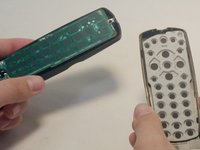
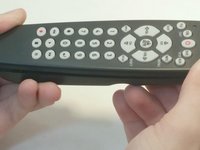
Starting to the side of the front LED, pry up the top of the remote.
-
Remove the top of the remote to expose the circuit board.
 Ask FixBot
-
-
-
Remove the circuit board by gently lifting it from the casing.
-
Flip over the board so that the leads of the LED are facing upward.
-
-
-
Clip the leads of the LED.
-
Bend the LED downward until it makes a 90 degree angle with the circuit board.
-
-
-



To reassemble your device, follow these instructions in reverse order.
Cancel: I did not complete this guide.
3 other people completed this guide.

Team

Central Coast New Tech High, Team 5-1, Rushing Spring 2016 Member of Central Coast New Tech High, Team 5-1, Rushing Spring 2016
CCNTH-RUSHING-S16S5G1
2 Members
12 Guides authored
