Free Shipping on Domestic Orders $75+

Gateway P-6831FX Heatsink Replacement

What you need

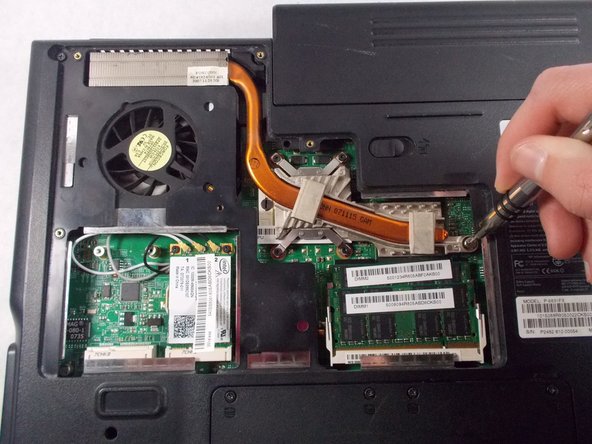
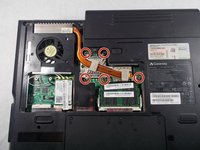
    1. Gateway P-6831FX Heatsink Replacement, Heatsink: step 1, image 1 of 2 Gateway P-6831FX Heatsink Replacement, Heatsink: step 1, image 2 of 2
      • Turn your laptop upside down and remove the five Philips #0 (5mm) screws for the cover of the Heatsink.

      • Make sure to unplug your laptop charger, as removing the Heatsink while the device is charging may damage the Heatsink and or the charger.

      Ask FixBot

      Add Comment

    2. Gateway P-6831FX Heatsink Replacement: step 2, image 1 of 1
      • Gently pull the cover away from the device.

      Ask FixBot

      Add Comment

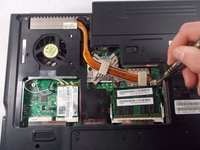
    3. Gateway P-6831FX Heatsink Replacement: step 3, image 1 of 2 Gateway P-6831FX Heatsink Replacement: step 3, image 2 of 2
      • Remove the five Phillips #0 (5mm) screws around the Heatsink.

      Ask FixBot

      Add Comment

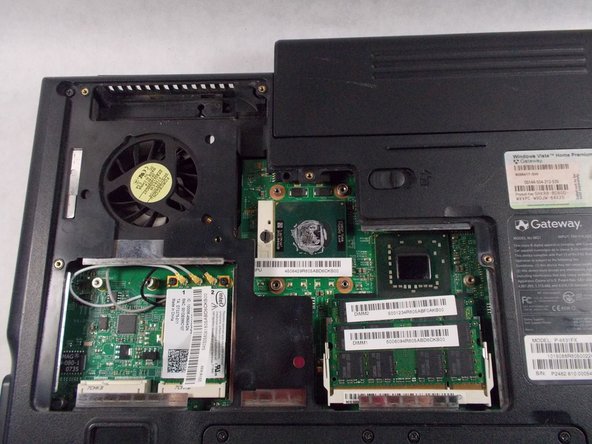
    4. Gateway P-6831FX Heatsink Replacement: step 4, image 1 of 2 Gateway P-6831FX Heatsink Replacement: step 4, image 2 of 2
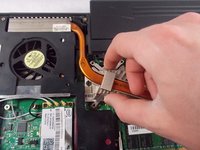
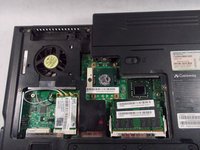
      • Gently pull the Heatsink up and away from the chassis.

      Ask FixBot

      Add Comment

Conclusion

To reassemble your device, follow these instructions in reverse order.

Cancel: I did not complete this guide.

Chandler Jardin

Member since: 03/19/18

507 Reputation

4 Guides authored

Team

0 Guide Comments

Add Comment

View Statistics:

Past 24 Hours: 0

Past 7 Days: 2

Past 30 Days: 38

All Time: 567