Free Shipping on Domestic Orders $75+

Gateway NV59C66u Wireless Card Replacement

What you need

    1. Gateway NV59C66u Wireless Card Replacement, Wireless Card: step 1, image 1 of 1
      • Remove the four Phillips #0 screws from the service cover on the back of the laptop.

      Ask FixBot

      Add Comment

    2. Gateway NV59C66u Wireless Card Replacement: step 2, image 1 of 1
      • Gently remove the cover to gain access to the wireless card.

      Ask FixBot

      Add Comment

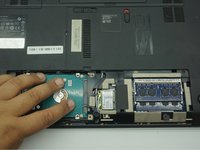
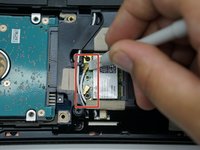
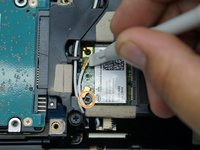
    3. Gateway NV59C66u Wireless Card Replacement: step 3, image 1 of 3 Gateway NV59C66u Wireless Card Replacement: step 3, image 2 of 3 Gateway NV59C66u Wireless Card Replacement: step 3, image 3 of 3
      • Pop the two coaxial antenna cables up from the wireless card with a plastic opening tool.

      • Unscrew the one Phillips #0 screw holding down the wireless card.

      • Remove the wireless card by sliding it out from its port.

      Ask FixBot

      Add Comment

Conclusion

To reassemble your device, follow these instructions in reverse order.

Cancel: I did not complete this guide.

Jackson Gandee

Member since: 10/30/19

521 Reputation

4 Guides authored

Team

ETECH Holdings Member of ETECH Holdings

Community

2 Members

48 Guides authored

0 Guide Comments

Add Comment

View Statistics:

Past 24 Hours: 2

Past 7 Days: 13

Past 30 Days: 57

All Time: 476