
Gateway NE52214U Motherboard Replacement

Kelsey Rodrigues and 2 other contributors
Last updated on Dec 18, 2018
Views: 761
View statistics:
- Past 24 Hours:
- 0
- Past 7 Days:
- 16
- Past 30 Days:
- 51
- All Time:
- 761
Comments: 0
No one has left comments on this guide. Will you be first?
Go to guide commentsCompleted: 0 1
No one has marked this guide "completed." Will you be the first?
1 person has marked this guide "completed." It's you — great job!
Favorites: 0 1
No one has favorited (and subscribed to) this guide. Will you be the first?
1 person has favorited (and subscribed to) this guide — and that's you!
Featured Student Guide
This guide has been the hard work of our awesome students and is found to be exceptionally cool by the iFixit staff.
Introduction
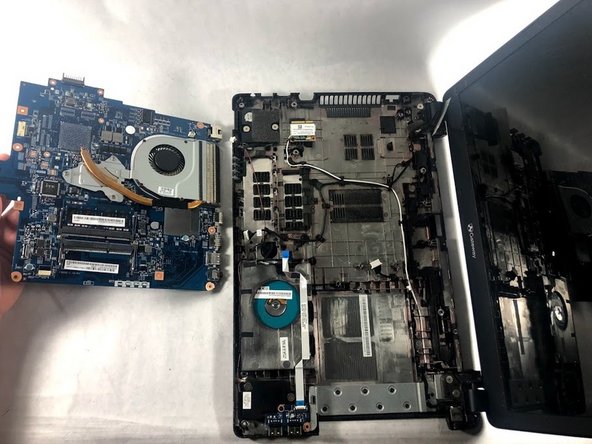
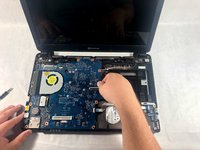
Go to step 1 ↓Is your computer experiencing significant problems with loading or booting up in general? Consider using this guide to replace the motherboard of your device. This guide will walk you through removing the motherboard, but when you remove the motherboard the fan will also be attached.
What you need
Tools


-
-
-
Slide the tab to the left and hold the tab there.
-
While holding down the sliding tab, remove the battery from the device.
-
-
-
-
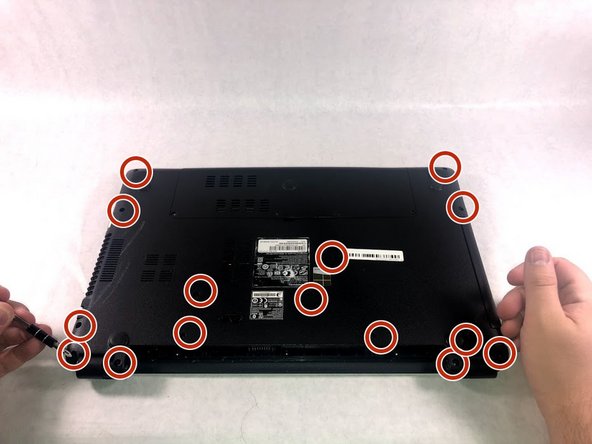
After removing the battery, remove 15 7mm screws using the Phillip #1 Screwdriver.
-
-
-
Lift the upper case cover off of the device. Use a prying tool along the edges if necessary.
-
-
-
-

 Ask FixBot




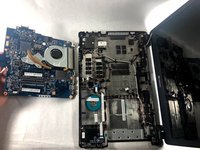
To reassemble your device, follow these instructions in reverse order.

Team

UMass Dartmouth, Team S1-G1, Simcock Fall 2018 Member of UMass Dartmouth, Team S1-G1, Simcock Fall 2018
UMASSD-SIMCOCK-F18S1G1
3 Members
60 Guides authored
