Free Shipping on Domestic Orders $75+

Gateway M-2626u CD Drive Replacement

What you need

    1. Gateway M-2626u CD Drive Replacement, Battery: step 1, image 1 of 1
      • To prevent injury, make sure the laptop is not plugged in while removing the battery!

      • Make the switch in the upper right corner of the turned over laptop is switched to the "unlocked" position. (the unlocked padlock icon)

      Ask FixBot

      Add Comment

    2. Gateway M-2626u CD Drive Replacement: step 2, image 1 of 3 Gateway M-2626u CD Drive Replacement: step 2, image 2 of 3 Gateway M-2626u CD Drive Replacement: step 2, image 3 of 3
      • Push the switch to the right, toward the inside of the computer to dislodge the battery.

      • Finally, pull the battery outwards and away from the laptop as depicted in this image.

      Ask FixBot

      Add Comment

    1. Gateway M-2626u CD Drive Replacement, CD Drive: step 3, image 1 of 2 Gateway M-2626u CD Drive Replacement, CD Drive: step 3, image 2 of 2
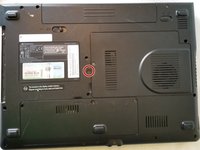
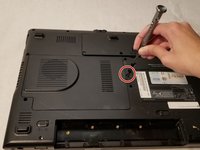
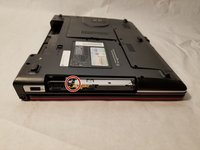
      • Using the Phillips #1 screwdriver, remove the indicated 6mm screw holding the CD drive.

      Ask FixBot

      Add Comment

    2. Gateway M-2626u CD Drive Replacement: step 4, image 1 of 2 Gateway M-2626u CD Drive Replacement: step 4, image 2 of 2
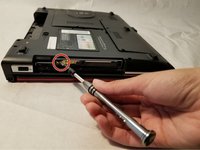
      • Using the screwdriver, push the release button for the CD drive.

      Ask FixBot

      Add Comment

    3. Gateway M-2626u CD Drive Replacement: step 5, image 1 of 2 Gateway M-2626u CD Drive Replacement: step 5, image 2 of 2
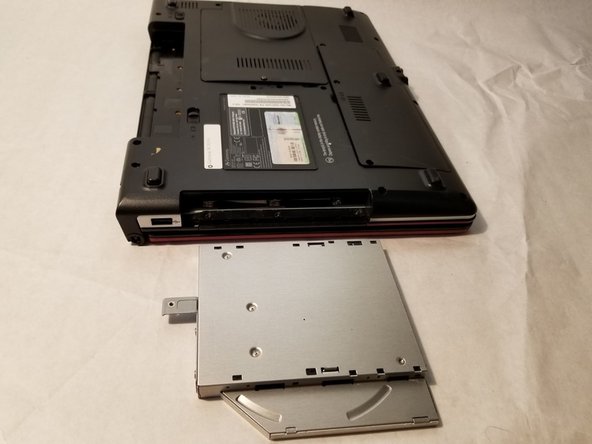
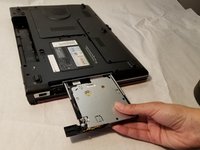
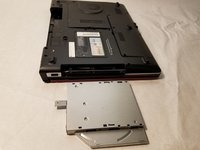
      • Remove the CD drive from the device.

      Ask FixBot

      Add Comment

Conclusion

To reassemble your device, follow these instructions in reverse order.

Cancel: I did not complete this guide.

Femi

Member since: 04/06/18

219 Reputation

2 Guides authored

0 Guide Comments

Add Comment

View Statistics:

Past 24 Hours: 2

Past 7 Days: 9

Past 30 Days: 28

All Time: 509