
Gateway KAV60 LT2016U Hard Drive Replacement

Lydia Benjock and 8 other contributors
Last updated on Jan 28, 2019
Views: 2.2K
View statistics:
- Past 24 Hours:
- 3
- Past 7 Days:
- 23
- Past 30 Days:
- 91
- All Time:
- 2,193
Comments: 0
No one has left comments on this guide. Will you be first?
Go to guide commentsCompleted: 0 1
No one has marked this guide "completed." Will you be the first?
1 person has marked this guide "completed." It's you — great job!
Favorites: 1 2
1 person has favorited (and subscribed to) this guide. Will you be next?
2 people have favorited (and subscribed to) this guide — including you!
Needs Better Images
Better photos will improve this guide. Help out by taking, editing, or uploading new ones!
Introduction
Go to step 1 ↓With a Phillips #0 screwdriver, the hard drive can easily be replaced.
What you need
Tools


-
-
-
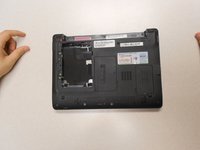
Unlock the tab located in the top left corner of the netbook.
-
The red tab indicated that the battery has been properly unlocked.
-
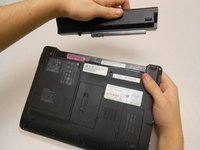
Remove the battery.
 Ask FixBot
-
-
-
-
-
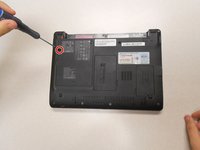
Remove the two (2) 5mm screws holding the cover down using the Phillips #0 screwdriver.
-
-
-
-
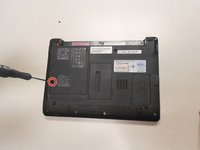
Using a Phillips #0 screwdriver, remove a third 5mm screw that holds the second cover that is directly protecting the hard drive.
-
-
-
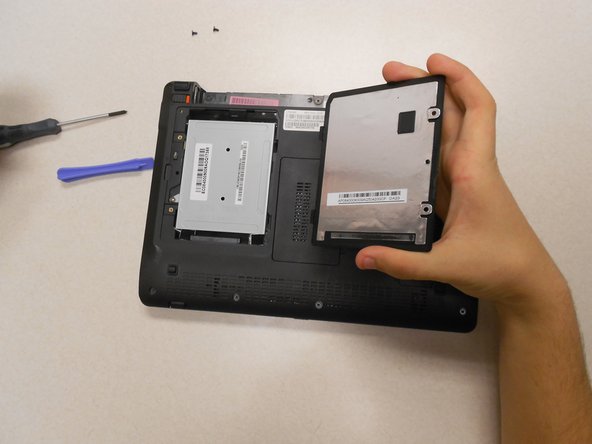
Slide the silver cover up; the hole on the cover and the hole for the screw will no longer match up.
-
Lift the silver cover; this will expose the hard drive.
-





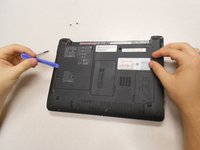
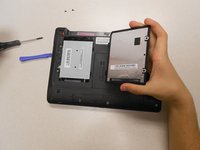


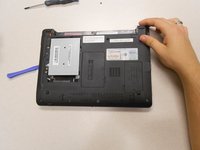
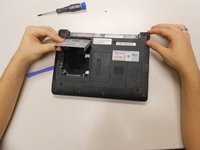
To reassemble your device, follow these instructions in reverse order.

Team

Clemson, Team 14-3, Benson Fall 2013 Member of Clemson, Team 14-3, Benson Fall 2013
CLEM-BENSON-F13S14G3
3 Members
132 Guides authored
