Introduction
This guide provides the step by step directions for removing and replacing the battery for a Gateway 600YGR. There are no prerequisite guides that need to be completed in order to use this guide. No tools are required to complete this guide.
What you need
-
-
-
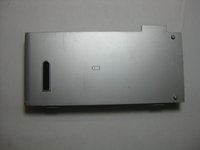
Flip your computer over so that the bottom of your device is face up.
 Ask FixBot
-
-
-
-
Locate the slide indicated in red and slide it to the right.
-
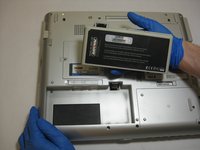
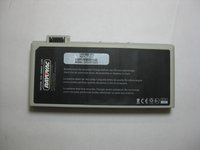
Lift the battery at the indent indicated in orange.
-
-


To reassemble your device, follow these instructions in reverse order.
Cancel: I did not complete this guide.
One other person completed this guide.

Team

The Citadel Military College of South Carolina, Team S2-G7, Eggleston Spring 2019 Member of The Citadel Military College of South Carolina, Team S2-G7, Eggleston Spring 2019
CMCSC-EGGLESTON-S19S2G7
3 Members
36 Guides authored
