Free Shipping on Domestic Orders $75+

Garmin nuviCam LMTHD Screen Replacement

What you need

    1. Garmin nuviCam LMTHD Screen Replacement, Screen: step 1, image 1 of 2 Garmin nuviCam LMTHD Screen Replacement, Screen: step 1, image 2 of 2
      • Remove the four 6.9 mm black screws using the T6 screw bit.

      Ask FixBot

      Add Comment

    2. Garmin nuviCam LMTHD Screen Replacement: step 2, image 1 of 2 Garmin nuviCam LMTHD Screen Replacement: step 2, image 2 of 2
      • Pry the device open using a plastic opening tool.

      • We suggest starting from the dash camera side for easier opening

      • You may have to use a little force, the screen is hard to remove.

      Ask FixBot

      Add Comment

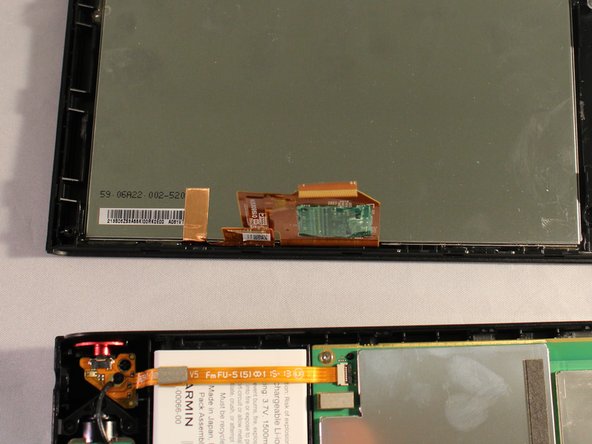
    3. Garmin nuviCam LMTHD Screen Replacement: step 3, image 1 of 1
      • Disconnect the black and red wire from the screen.

      Ask FixBot

      Add Comment

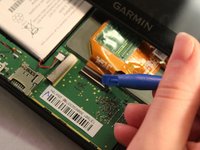
    4. Garmin nuviCam LMTHD Screen Replacement: step 4, image 1 of 2 Garmin nuviCam LMTHD Screen Replacement: step 4, image 2 of 2
      • Disconnect the orange strip by flipping up the connector with a plastic opening tool and sliding the cable out.

      Ask FixBot

      Add Comment

Conclusion

To reassemble your device, follow these instructions in reverse order.

Cancel: I did not complete this guide.

4 other people completed this guide.

0 Guide Comments

Add Comment

View Statistics:

Past 24 Hours: 1

Past 7 Days: 6

Past 30 Days: 36

All Time: 1,531