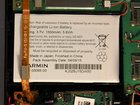
Garmin nuviCam LMTHD Battery Replacement

Sarah Myers and 5 other contributors
Last updated on May 7, 2024
Views: 6.2K
View statistics:
- Past 24 Hours:
- 2
- Past 7 Days:
- 23
- Past 30 Days:
- 111
- All Time:
- 6,209
Comments: 8
4 comments on steps, 4 guide comments.
Go to guide commentsCompleted: 7 8
7 people have marked this guide "completed." Will you be next?
8 people have marked this guide "completed." Including you — great job!
Favorites: 1 2
1 person has favorited (and subscribed to) this guide. Will you be next?
2 people have favorited (and subscribed to) this guide — including you!
Introduction
Go to step 1 ↓This guide will be helpful if you are attempting to replace your nuviCam LMTHD battery. You might have a little trouble opening the device, but it does come off with a little force using the plastic prying tools. You might need to replace the battery if your device is not holding it's charge or the device is over heating. The battery is fairly simple to remove, good luck.
What you need
Tools
-
-
-
Spudger4.9


-
-
-
Pry the device open using a plastic opening tool.
-
We suggest starting from the dash camera side for easier opening
-
-
-
-
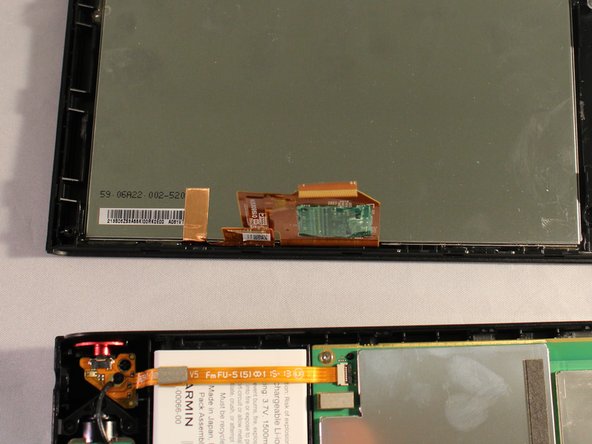
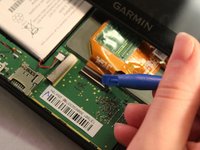
Disconnect the orange strip by flipping up the connector with a plastic opening tool and sliding the cable out.
-
-
-
-
Disconnect battery from device pulling the green, red, and black wires from motherboard.
-
-
Tool used on this step:Tweezers$4.99
-
Disconnect orange cable strip laying across battery by sliding it out of connector .
-


 Ask FixBot




To reassemble your device, follow these instructions in reverse order.
Cancel: I did not complete this guide.
7 other people completed this guide.

Team

Eastern Washington University, Team 1-6, Mathisen Winter 2017 Member of Eastern Washington University, Team 1-6, Mathisen Winter 2017
EWU-MATHISEN-W17S1G6
4 Members
60 Guides authored
4 Guide Comments
Where did you buy the battery? What is the voltage/current?
I believe Garmin Part No. 361-00066-00 is correct (also used in the Nuvi 27xx series). It is available on AMazon and eBay.
