
Garmin eTrex 22X Joystick Replacement

Zachary M Pereira and one other contributor
Last updated on Dec 19, 2022
Views: 1.1K
View statistics:
- Past 24 Hours:
- 2
- Past 7 Days:
- 18
- Past 30 Days:
- 68
- All Time:
- 1,069
Comments: 2
1 comment on steps, 1 guide comment.
Go to guide commentsCompleted: 2 3
2 people have marked this guide "completed." Will you be next?
3 people have marked this guide "completed." Including you — great job!
Favorites: 0 1
No one has favorited (and subscribed to) this guide. Will you be the first?
1 person has favorited (and subscribed to) this guide — and that's you!
Better Introduction
Improve this guide by completing or revising its introduction.
Missing Details
Some of this guide's details are missing. Help users by adding tools, difficulty, or time.
-
-
-
Lift the handle and turn it counter clockwise.
-
Use a TR6 screwdriver to remove all six 11 mm case screws.
-
Remove the battery housing.
 Ask FixBot
-
-
-
-
Use a T4 screwdriver to remove the single 5 mm screw that secures the motherboard.
-
-
-
Using a plastic pry bar lift up on the indicated area.
-
Use thumbs to pull apart joystick
-
-


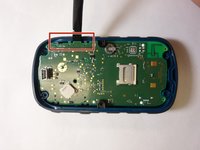
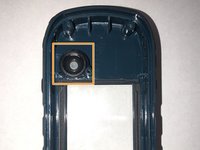
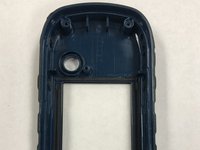
To reassemble your device, follow these instructions in reverse order.
Cancel: I did not complete this guide.
2 other people completed this guide.

Team

The Citadel Military College of South Carolina, Team 3-14, Eggleston Fall 2022 Member of The Citadel Military College of South Carolina, Team 3-14, Eggleston Fall 2022
CMCSC-EGGLESTON-F22S3G14
3 Members
36 Guides authored
