Free Shipping on Domestic Orders $75+

Garmin StreetPilot c330 Screen Replacement

What you need

    1. Garmin StreetPilot c330 Screen Replacement, Outer Casing: step 1, image 1 of 3 Garmin StreetPilot c330 Screen Replacement, Outer Casing: step 1, image 2 of 3 Garmin StreetPilot c330 Screen Replacement, Outer Casing: step 1, image 3 of 3
      • At the top of the outer frame, insert the plastic spudger into the groove in the center.

      • Lever the frame gently until it pops out of the case.

      Ask FixBot

      Add Comment

    2. Garmin StreetPilot c330 Screen Replacement: step 2, image 1 of 3 Garmin StreetPilot c330 Screen Replacement: step 2, image 2 of 3 Garmin StreetPilot c330 Screen Replacement: step 2, image 3 of 3
      • Use a Phillips #00 screwdriver to remove the four screws around the screen.

      Ask FixBot

      Add Comment

    3. Garmin StreetPilot c330 Screen Replacement: step 3, image 1 of 2 Garmin StreetPilot c330 Screen Replacement: step 3, image 2 of 2
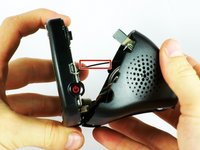
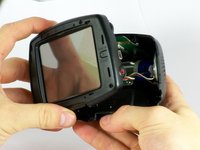
      • Gently pull from both ends of the casing to separate the front and back panels.

      • Do not force the pieces apart wider than the length of the connecting wires, or you will damage the wiring.

      Ask FixBot

      Add Comment

    4. Garmin StreetPilot c330 Screen Replacement: step 4, image 1 of 3 Garmin StreetPilot c330 Screen Replacement: step 4, image 2 of 3 Garmin StreetPilot c330 Screen Replacement: step 4, image 3 of 3
      Tool used on this step:
      Tweezers
      $4.99
      Buy
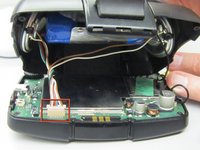
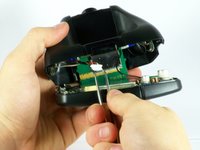
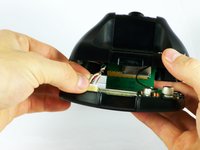
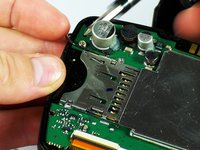
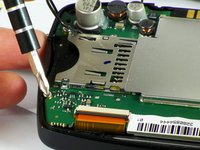
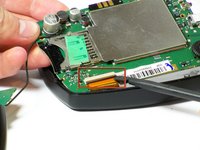
      • Gently unplug the white cable connector using either your fingers or tweezers.

      Ask FixBot

      Add Comment

    5. Garmin StreetPilot c330 Screen Replacement: step 5, image 1 of 1
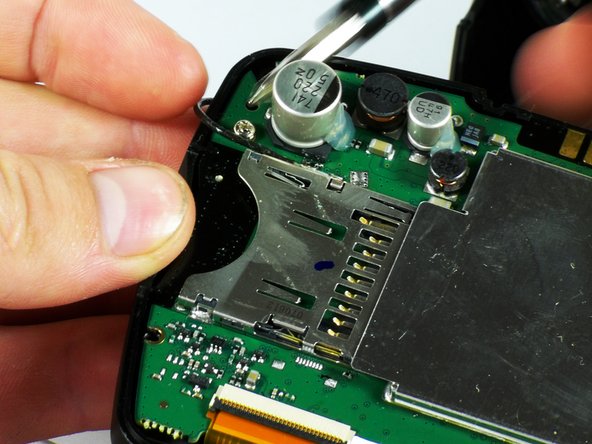
      • Carefully expose both halves of the device.

      • Be sure not to pull the two halves apart further than the black wire can reach.

      Ask FixBot

      Add Comment

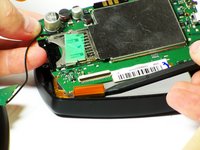
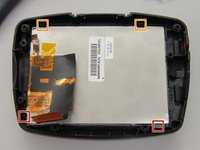
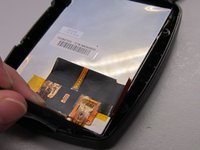
    1. Garmin StreetPilot c330 Screen Replacement, Screen: step 6, image 1 of 3 Garmin StreetPilot c330 Screen Replacement, Screen: step 6, image 2 of 3 Garmin StreetPilot c330 Screen Replacement, Screen: step 6, image 3 of 3
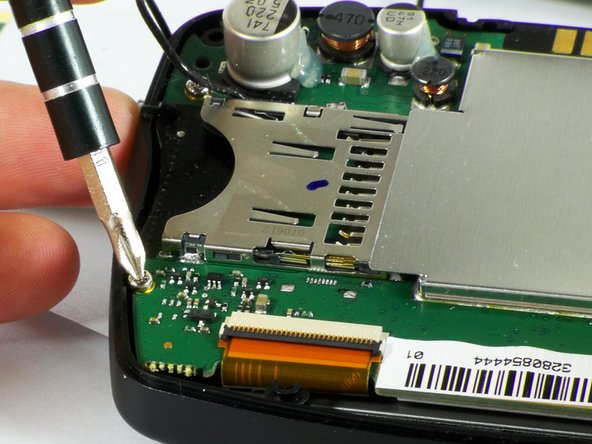
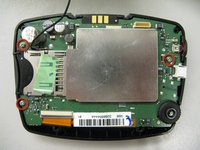
      • Remove the three screws holding the motherboard in place.

      Ask FixBot

      Add Comment

    2. Garmin StreetPilot c330 Screen Replacement: step 7, image 1 of 1
      • Use the spudger to lift up the motherboard.

      Ask FixBot

      Add Comment

    3. Garmin StreetPilot c330 Screen Replacement: step 8, image 1 of 3 Garmin StreetPilot c330 Screen Replacement: step 8, image 2 of 3 Garmin StreetPilot c330 Screen Replacement: step 8, image 3 of 3
      Tool used on this step:
      Tweezers
      $4.99
      Buy
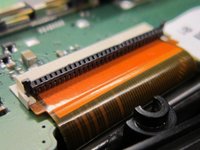
      • To remove the ribbon cable, lift the black latch using the spudger tool.

      • Separate the connection using either your fingers, tweezers, or the spudger.

      Ask FixBot

      Add Comment

    4. Garmin StreetPilot c330 Screen Replacement: step 9, image 1 of 2 Garmin StreetPilot c330 Screen Replacement: step 9, image 2 of 2
      • Slide the spudger under the two flexible tabs located on the right and left sides of the bottom of the screen.

      • Rotate the spudger outward until the tabs are no longer holding the screen.

      • When reassembling, slide the bottom of the screen under the two permanent tabs.

      • Push the screen out from the front.

      Ask FixBot

      Add Comment

    5. Garmin StreetPilot c330 Screen Replacement: step 10, image 1 of 1
      • Separate the screen from the front cover.

      Ask FixBot

      Add Comment

Conclusion

To reassemble your device, follow these instructions in reverse order.

Cancel: I did not complete this guide.

Adrian Leon

Member since: 10/07/10

173 Reputation

3 Guides authored

Team

Cal Poly, Team 22-1, Maness Fall 2010 Member of Cal Poly, Team 22-1, Maness Fall 2010

CPSU-MANESS-F10S22G1

3 Members

48 Guides authored

0 Guide Comments

Add Comment

View Statistics:

Past 24 Hours: 0

Past 7 Days: 3

Past 30 Days: 29

All Time: 1,879