What you need
-
-
-
Place the device on the workspace so the screen is facing downward.
 Ask FixBot
-
-
-
-
Using the t5 screwdriver from the iFixit Pro Tool Kit, remove all four 5.6mm screws placing them safely on the table.
-
-
-
Grab a spudger from tool kit.
-
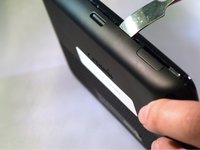
Pry open sides of Nuvi gently with spudger (do not rip apart).
-
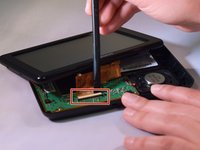
Use plastic opening tool to pry ribbon slowly from white plastic bar.
-
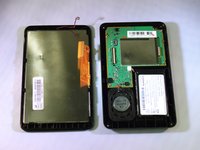
Separate the two pieces and place them on the table
-
-


To reassemble your device, follow these instructions in reverse order.
Cancel: I did not complete this guide.
One other person completed this guide.

Team

Eastern Washington University, Team 2-2, Andersen Winter 2016 Member of Eastern Washington University, Team 2-2, Andersen Winter 2016
EWU-ANDERSEN-W16S2G2
5 Members
72 Guides authored
