
Garmin Nuvi 255W Power Button Replacement

Timothy and 6 other contributors
Last updated on May 26, 2016
Views: 11K
View statistics:
- Past 24 Hours:
- 2
- Past 7 Days:
- 13
- Past 30 Days:
- 91
- All Time:
- 10,609
Comments: 7
7 comments on steps.
Completed: 0 1
No one has marked this guide "completed." Will you be the first?
1 person has marked this guide "completed." It's you — great job!
Favorites: 1 2
1 person has favorited (and subscribed to) this guide. Will you be next?
2 people have favorited (and subscribed to) this guide — including you!
Introduction
Go to step 1 ↓If your power button is defective, replace the old one with the new power button.
What you need


 Ask FixBot


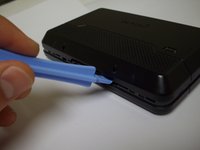
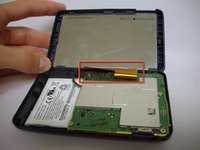


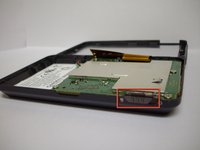
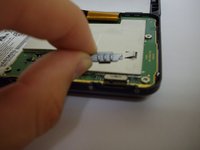
To reassemble your device, follow these instructions in reverse order.

Team

Cal Poly, Team 9-3, Regan Winter 2012 Member of Cal Poly, Team 9-3, Regan Winter 2012
CPSU-REGAN-W12S9G3
5 Members
48 Guides authored
