Introduction
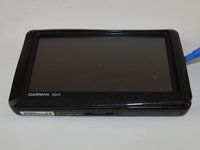
This repair is easy and quick to fix and only requires a plastic prying tool to get the job done. This repair will have your GPS looking new again.
What you need
-
-
-
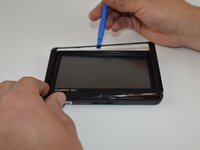
Carefully insert the plastic prying tool into the crevice to separate the frame from the body.
-
-
-
Slide the plastic prying tool around the perimeter to completely remove the frame.
-

 Ask FixBot


To reassemble your device, follow these instructions in reverse order.
Cancel: I did not complete this guide.
2 other people completed this guide.

Team

USF Tampa, Team 15-2, Remmell Spring 2016 Member of USF Tampa, Team 15-2, Remmell Spring 2016
USFT-REMMELL-S16S15G2
4 Members
10 Guides authored
