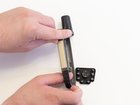
Garmin GPSmap 60CSx Keypad Buttons Replacement

Thomas Humphrey and 4 other contributors
Last updated on Dec 2, 2019
Views: 3.5K
View statistics:
- Past 24 Hours:
- 2
- Past 7 Days:
- 18
- Past 30 Days:
- 81
- All Time:
- 3,496
Comments: 1
1 comment on steps.
Completed: 3 4
3 people have marked this guide "completed." Will you be next?
4 people have marked this guide "completed." Including you — great job!
Favorites: 0 1
No one has favorited (and subscribed to) this guide. Will you be the first?
1 person has favorited (and subscribed to) this guide — and that's you!
Introduction
Go to step 1 ↓If the buttons are unresponsive or sticking, the keypad may be compromised and need to be replaced. This is a guide to replace the keypad buttons of the Garmin GPSmap 60CSx.
What you need
Tools
-
Spudger4.9


-
-
-
Lift and twist the battery cover release 90 degrees counterclockwise on the back of the device.
 Ask FixBot
-
-
-
-
-
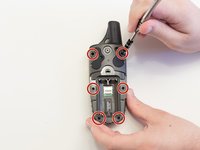
Remove the six 10 mm screws on the back of the device with a Phillips #0 screwdriver.
-
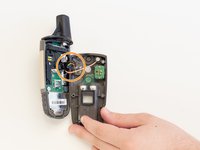
Flip the back panel over to view the green electronics board (the PCB) and the PCB covering.
-
Remove the black, yellow, blue, and red wires connected to the PCB with light force.
-
-
-
Place the spudger in the bottom right corner of the black PCB cover and pry the corner out.
-
The previous step will need to be done to the other three corners.
-
Pull the black PCB board out of the GPSMap 60 CSx.
-
-
-
-
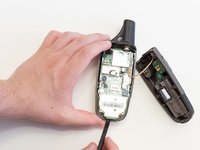
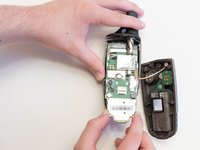
Carefully use a spudger to lift the PCB a few centimeters.
-
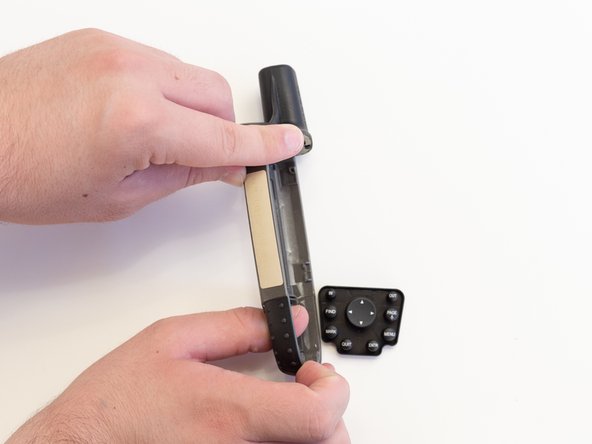
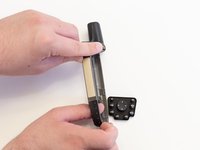
Pull the PCB out towards the bottom of the GPSMap 60CSx.
-
-


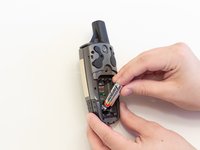





To reassemble your device, follow these instructions in reverse order.
Cancel: I did not complete this guide.
3 other people completed this guide.

Team

Linn Benton Community College, Team S2-G5, Johnson Spring 2018 Member of Linn Benton Community College, Team S2-G5, Johnson Spring 2018
LBCC-JOHNSON-S18S2G5
5 Members
60 Guides authored
