
Garmin GPSmap 60CSx Gasket Replacement

Samantha Shelton and 2 other contributors
Last updated on Jul 5, 2018
Views: 2.4K
View statistics:
- Past 24 Hours:
- 1
- Past 7 Days:
- 19
- Past 30 Days:
- 62
- All Time:
- 2,408
Comments: 0
No one has left comments on this guide. Will you be first?
Go to guide commentsCompleted: 0 1
No one has marked this guide "completed." Will you be the first?
1 person has marked this guide "completed." It's you — great job!
Favorites: 0 1
No one has favorited (and subscribed to) this guide. Will you be the first?
1 person has favorited (and subscribed to) this guide — and that's you!
Introduction
Go to step 1 ↓The gasket can break and become unusable, compromising the protection of the internal structure of device and rendering it vulnerable to water. This guide will aid you in its removal and replacement.
What you need

-
-
-
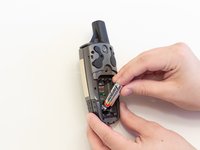
Lift and twist the battery cover release 90 degrees counterclockwise on the back of the device.
 Ask FixBot
-
-
-
-
-
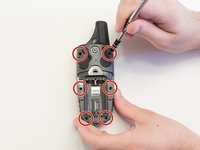
Remove the six 10 mm screws on the back of the device with a Phillips #0 Screwdriver.
-
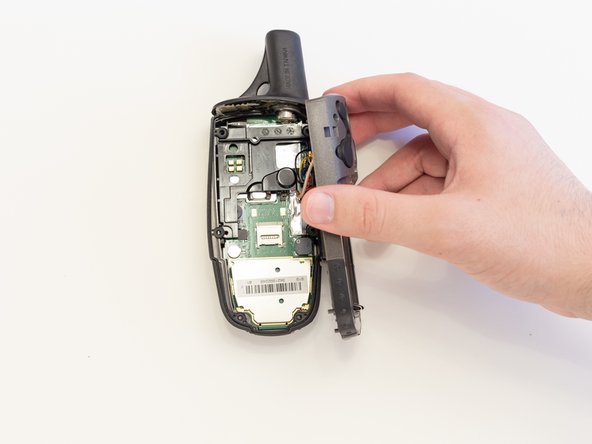
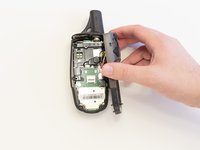
Separate the back panel from the front.
-
-
-





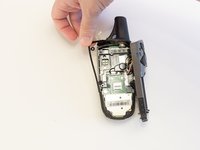
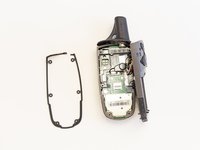
To reassemble your device, follow these instructions in reverse order.

Team

Linn Benton Community College, Team S2-G5, Johnson Spring 2018 Member of Linn Benton Community College, Team S2-G5, Johnson Spring 2018
LBCC-JOHNSON-S18S2G5
5 Members
60 Guides authored
