Introduction
If you know your batteries are not the problem, but your device will not power on, your battery terminals may be corroded. The following is a guide on how to replace battery terminals on the Garmin GPSmap 60CSx.
What you need
-
-
-
Lift and twist the battery cover release 90 degrees counterclockwise on the back of the device.
 Ask FixBot
-
-
-
-
-
-
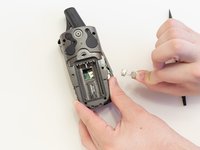
Remove the six 10 mm screws on the back of the device with a Phillips #0 Screwdriver.
-
-
-
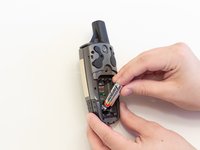
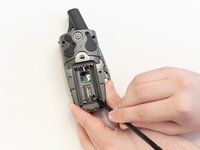
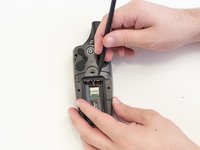
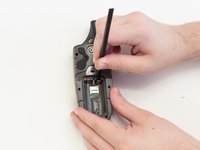
Place spudger behind the lower right battery terminal.
-
Push spudger behind the battery terminal to pop it out of place.
-
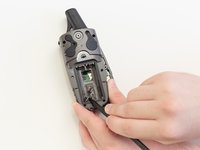
Now do the same on the bottom left side.
-
-
-
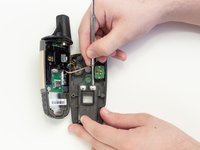
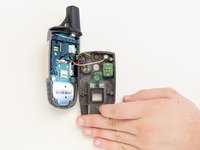
Flip the back panel over to expose the backs of the top battery terminals.
-
Use a metal spudger to remove the glue that covers them.
-
-
-
Flip the back panel back over to view the battery compartment.
-
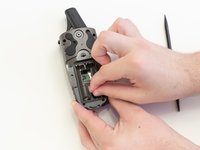
Place the spudger behind one of the top remaining battery terminals.
-
Push the spudger down and pop the battery terminal out of place.
-
Repeat with the remaining battery terminal.
-
-










To reassemble your device, follow these instructions in reverse order.
Cancel: I did not complete this guide.
One other person completed this guide.

Team

Linn Benton Community College, Team S2-G5, Johnson Spring 2018 Member of Linn Benton Community College, Team S2-G5, Johnson Spring 2018
LBCC-JOHNSON-S18S2G5
5 Members
60 Guides authored
10 Guide Comments
What did you use to replace the contacts?
Where can I find replacement battery terminals for a
Garmin 60CS4?
