Introduction
Use this guide to install a new lithium-ion battery in the Garmin Drive 53 EX. This repair is necessary if the device no longer holds a charge or exhibits significantly reduced runtime while disconnected from a power source. Replacing a degraded battery restores the device's ability to operate independently for short periods.
What you need
-
-
-
Power off the Garmin Drive 53 EX completely to prevent electrical shorts during the repair.
-
Use a T2 Torx screwdriver to remove all four screws.
 Ask FixBot
-
-
-
Insert a plastic opening tool or a thin prying pick into the seam where the front bezel meets the rear housing.
-
Gently lift the rear casing away from the front assembly, being careful not to strain the internal ribbon cable connecting the screen to the motherboard.
-
-
-
-
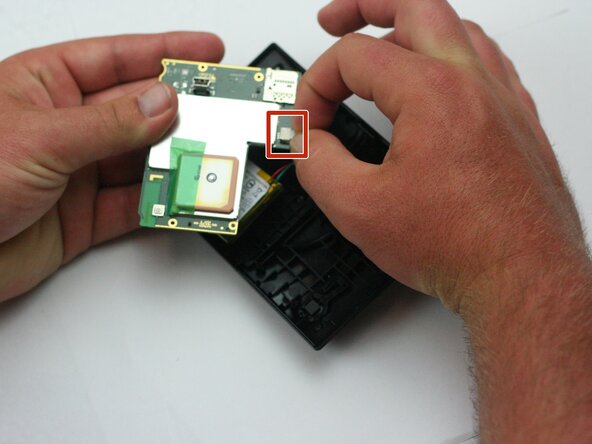
Open the ZIF (Zero Insertion Force) connector on the motherboard by flipping up the small locking tab and sliding the screen’s ribbon cable out.
-
Remove the screen.
-
-
-
-
-
Insert an opening tool underneath the battery.
-
Slowly and carefully, raise the battery to remove it from the device.
-
-



To reassemble your device, follow these instructions in reverse order.
Cancel: I did not complete this guide.
One other person completed this guide.

Team

Texas Tech, Team 16-3, Samson Spring 2026 Member of Texas Tech, Team 16-3, Samson Spring 2026
TTU-SAMSON-S26S16G3
5 Members
60 Guides authored
