Free Shipping on Domestic Orders $75+

Garmin Dash Cam 20 Screen Replacement

Views: 966

View statistics:

Past 24 Hours:
2
Past 7 Days:
14
Past 30 Days:
81
All Time:
966
Comments: 0

No one has left comments on this guide. Will you be first?

Go to guide comments
Completed: 1

1 person has marked this guide "completed." Will you be next?

Favorites: 0

No one has favorited (and subscribed to) this guide. Will you be the first?

Time Required: 30 minutes
Difficulty: Moderate
Better Introduction

Improve this guide by completing or revising its introduction.

Garmin Dash Cam 20 Screen Replacement

What you need

Tools

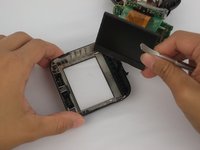
    1. Garmin Dash Cam 20 Screen Replacement, Internal Assembly: step 1, image 1 of 2 Garmin Dash Cam 20 Screen Replacement, Internal Assembly: step 1, image 2 of 2
      • Be sure to turn off the Dash Cam by pressing the power button.

      Ask FixBot
      Add Comment

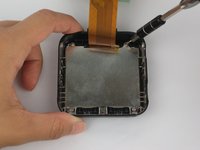
    2. Garmin Dash Cam 20 Screen Replacement: step 2, image 1 of 2 Garmin Dash Cam 20 Screen Replacement: step 2, image 2 of 2
      • Rotate the Dash Cam to where the socket faces you.

      • Remove the 9 mm screw using the Torx T6 screwdriver.

      Ask FixBot
      Add Comment

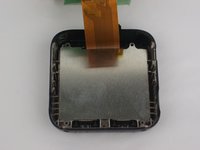
    3. Garmin Dash Cam 20 Screen Replacement: step 3, image 1 of 2 Garmin Dash Cam 20 Screen Replacement: step 3, image 2 of 2
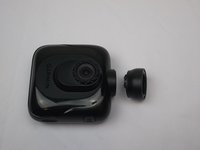
      • Remove the Dash Cam socket piece.

      Ask FixBot

      Add Comment

    4. Garmin Dash Cam 20 Screen Replacement: step 4, image 1 of 2 Garmin Dash Cam 20 Screen Replacement: step 4, image 2 of 2
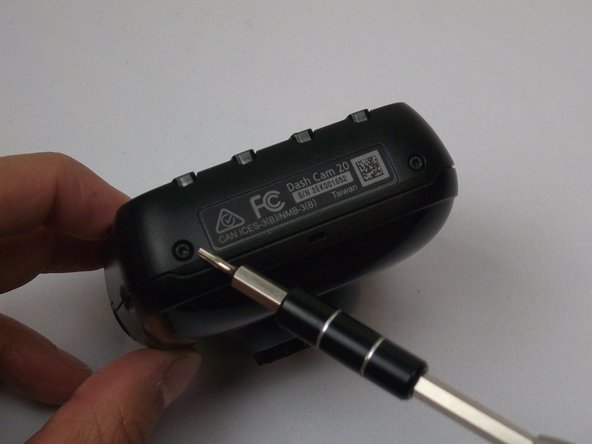
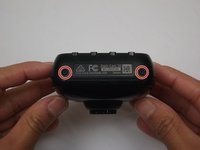
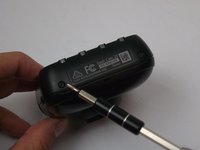
      • Rotate the Dash Cam to where the product information faces you.

      • Remove the two 5 mm screws using the Torx T5 screwdriver.

      Ask FixBot

      Add Comment

    5. Garmin Dash Cam 20 Screen Replacement: step 5, image 1 of 3 Garmin Dash Cam 20 Screen Replacement: step 5, image 2 of 3 Garmin Dash Cam 20 Screen Replacement: step 5, image 3 of 3
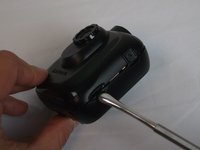
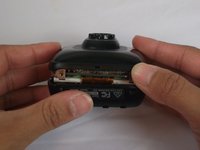
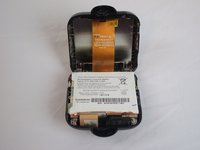
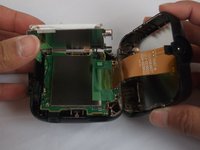
      • Remove top case from the bottom case.

      • The compact nature of the casing requires use of the metal spudger for needed leverage.

      Ask FixBot
      Add Comment

    6. Garmin Dash Cam 20 Screen Replacement: step 6, image 1 of 3 Garmin Dash Cam 20 Screen Replacement: step 6, image 2 of 3 Garmin Dash Cam 20 Screen Replacement: step 6, image 3 of 3
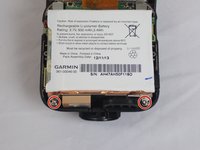
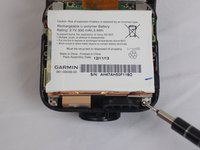
      • Remove the two 5mm screws using the Torx T5 screwdriver

      • By removing the screws, the metal battery frame will now become free from the rest of the device.

      Ask FixBot
      Add Comment

    1. Garmin Dash Cam 20 Screen Replacement, Screen: step 7, image 1 of 3 Garmin Dash Cam 20 Screen Replacement, Screen: step 7, image 2 of 3 Garmin Dash Cam 20 Screen Replacement, Screen: step 7, image 3 of 3
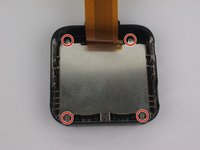
      • Use the Phillips screwdriver to remove the four 5mm screws.

      Ask FixBot

      Add Comment

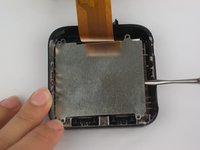
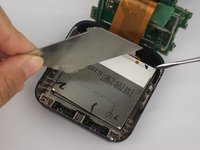
    2. Garmin Dash Cam 20 Screen Replacement: step 8, image 1 of 2 Garmin Dash Cam 20 Screen Replacement: step 8, image 2 of 2
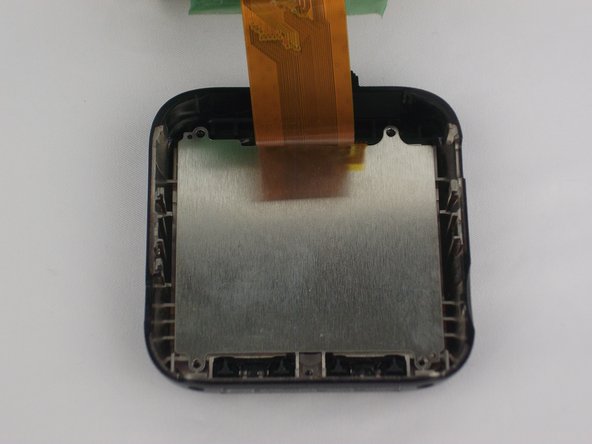
      • Use the metal spudger to remove metal plate from device. This will reveal the screen.

      Ask FixBot

      Add Comment

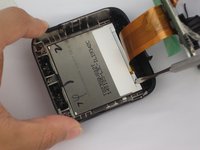
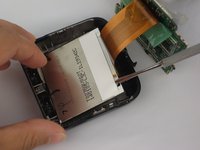
    3. Garmin Dash Cam 20 Screen Replacement: step 9, image 1 of 3 Garmin Dash Cam 20 Screen Replacement: step 9, image 2 of 3 Garmin Dash Cam 20 Screen Replacement: step 9, image 3 of 3
      • Use the metal spudger to remove screen from device.

      Ask FixBot

      Add Comment

    4. Garmin Dash Cam 20 Screen Replacement: step 10, image 1 of 1
      • The screen is now detached.

      Ask FixBot
      Add Comment
Conclusion

To reassemble your device, follow these instructions in reverse order.

Cancel: I did not complete this guide.

One other person completed this guide.

Jesse Hillman

Member since: 10/04/16

757 Reputation

5 Guides authored

Team

USF Tampa, Team 2-1, Cagle Fall 2016 Member of USF Tampa, Team 2-1, Cagle Fall 2016

USFT-CAGLE-F16S2G1

4 Members

60 Guides authored

0 Guide Comments

Add Comment

View Statistics:

Past 24 Hours: 2

Past 7 Days: 14

Past 30 Days: 81

All Time: 966