Introduction
The first thing to do for all replacements for the Gamesir X4 Aileron gaming controller is to remove the back cover. This is a very simple step and is pivotal to allowing you to continue with other replacements as everything is hidden behind it. This removal step only requires a tool to pry open the device.
What you need
-
-
-
Use a hairdryer to heat the rubber grips to soften the adhesive securing them to the back cover.
-
Using a Jimmy and your hands to pry and remove rubber covering from the back plate.
 Ask FixBot
-
-
-
Use a Jimmy to pry up and remove the small back cover off to gain access to the screws.
-
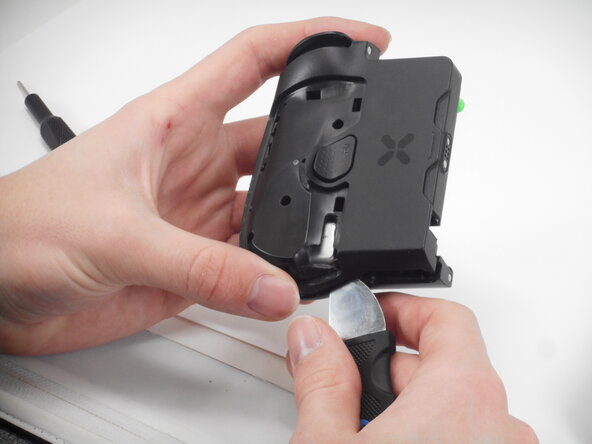
Slowly work your way around with the Jimmy to work the panel off.
-
-
-
-
Use your hand/Jimmy to take the sticker off of the front of each controller to access the screws behind it.
-
-
-
Use a Phillips screwdriver to remove all six 7.2 mm screws. securing the back cover.
-
-
-
Use a Jimmy to pry the entire controller in half to separate the 2 components. Slowly work your way around the controller, working the Jimmy through the separate the halves.
-
Flip up the black locking flap securing the ribbon cable.
-
Disconnect the ribbon cable.
-
-




To reassemble your device, follow these instructions in reverse order.

Team

University of Memphis, Team 1-1, Sneed Spring 2026 Member of University of Memphis, Team 1-1, Sneed Spring 2026
UM-SNEED-S26S1G1
4 Members
72 Guides authored
