
Game Boy Cartridge Battery Replacement

Jose Ayala and 2 other contributors
Last updated on Sep 25, 2025
Views: 15K
View statistics:
- Past 24 Hours:
- 25
- Past 7 Days:
- 148
- Past 30 Days:
- 609
- All Time:
- 14,687
Comments: 3
1 comment on steps, 2 guide comments.
Go to guide commentsCompleted: 10 11
10 people have marked this guide "completed." Will you be next?
11 people have marked this guide "completed." Including you — great job!
Favorites: 8 9
8 people have favorited (and subscribed to) this guide. Will you be next?
9 people have favorited (and subscribed to) this guide — including you!
Introduction
Go to step 1 ↓If you find your Game Boy experiencing save game issues, where progress is lost or becomes intermittent, it may be time to replace the internal battery.
The internal battery within Game Boy cartridges serves a crucial role in preserving your game saves. Over time, these batteries degrade, potentially leading to data loss.
Before using this guide, inspect the battery to test the voltage with a multimeter. Typically, if the battery range is not 1 digit over the decimal point when measured with a multimeter, then that is a sign that the battery should be replaced.
What you need
Parts

Tools


-
-
-
Switch on your multimeter and select the Voltage (V) mode. Then, test the voltage of the battery in the cartridge.
-
-
-
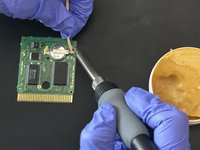
Apply some of the flux paste to help desolder the soldered areas on the battery.
-
-
-
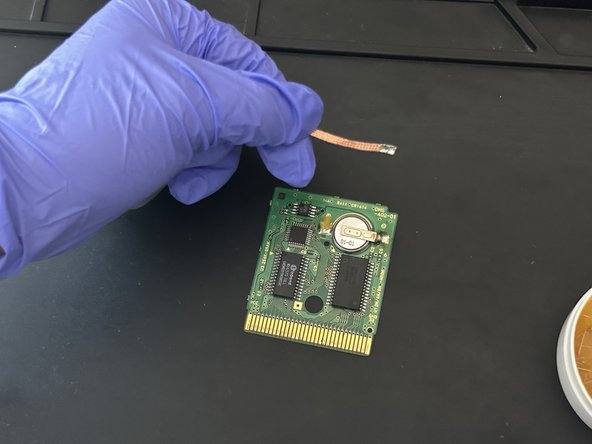
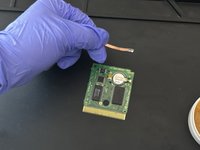
Use the soldering iron once it heats up fully. Then, heat up the soldered areas with the iron.
-
-
-
-
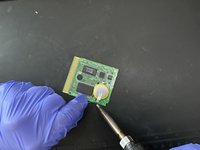
Use the soldering iron and soldering wire to solder both sides of the battery into place.
-
-
-
Switch on your multimeter and select the Voltage (V) mode. Then, test the voltage of the battery in the cartridge.
-
-
-
Align the cartridge and the circuit board.
-
Then tighten the screw to secure the cartridge into place.
-


 Ask FixBot




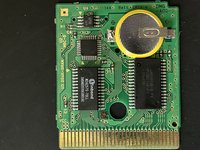


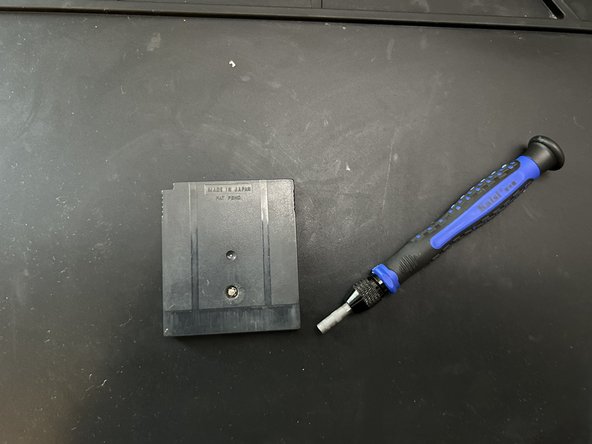
To reassemble your game cartridge, follow step 9.
Cancel: I did not complete this guide.
10 other people completed this guide.

Team

CSU Los Angeles, Team 3-1, Briggs Fall 2023 Member of CSU Los Angeles, Team 3-1, Briggs Fall 2023
CSULA-BRIGGS-F23S3G1
1 Member
12 Guides authored
2 Guide Comments
Hey. The battery linked at the top of this guide isn't the right one. The link goes to a regular, loose CR 2032 battery (which Keywan points out isn't the right size). The guide even shows a replacement battery with tabs.
The link to the incorrect batteries should be removed.
