
GPD WIN Silicon Pad Replacement

noria901 and 3 other contributors
Last updated on Oct 3, 2023
Views: 4K
View statistics:
- Past 24 Hours:
- 1
- Past 7 Days:
- 15
- Past 30 Days:
- 80
- All Time:
- 3,960
Comments: 0
No one has left comments on this guide. Will you be first?
Go to guide commentsCompleted: 2 3
2 people have marked this guide "completed." Will you be next?
3 people have marked this guide "completed." Including you — great job!
Favorites: 0 1
No one has favorited (and subscribed to) this guide. Will you be the first?
1 person has favorited (and subscribed to) this guide — and that's you!
Community-Contributed Guide
An awesome member of our community made this guide. It was not created by iFixit staff.
Introduction
Go to step 1 ↓GPD WIN is a very good game console.
However, I was so absorbed in it that the controller got messed up.
At this rate, you will not be able to perform any tricks or reload!
Replace the silicone pad immediately
What you need
Parts
-
シリコンパッド
GPDWINの交換パーツはTaobaoのGPD Shopからのみ入手可能です。https://shop115985484.taobao.com/ 購入体験はTwitterを参照してくださいhttps://twitter.com/noria901/status/1009429169510363136
Tools


-
-
-
There is a small space beside the keyboard, insert the pick and remove the claw
-
As you open the device, you can see that the flexible cable and the battery cable are connected. Then unplug the connector.
-
-
-
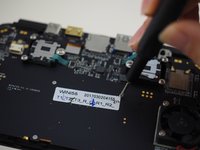
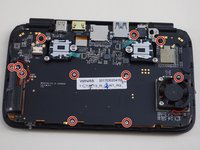
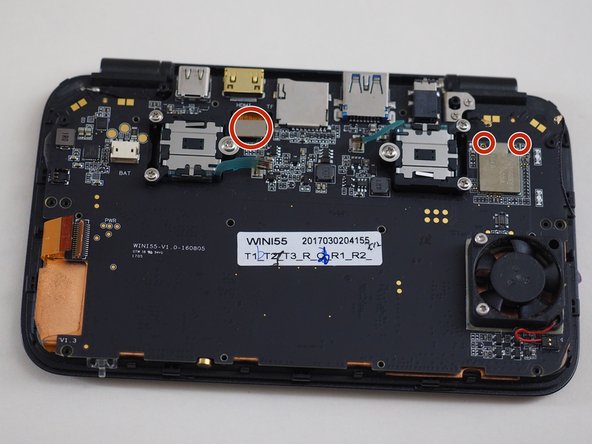
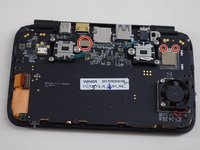
Remove screws on the logic board.
-
Because some black threads are mixed, do not forget to remove
-
-
-
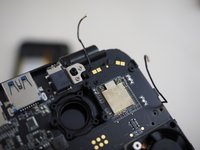
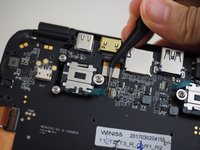
Remove Wi-Fi antenna cable and LCD connector
-
-
-
-
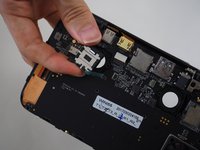
Remove the screws of the joystick and remove the flex cable from the connector.
-
Then, it is ready to pull logic board out of the case.
-
-
-
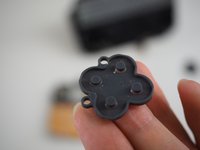
You can access the silicone pad by removing the logic board.
-
Replace a sticky silicon pad
-


 Ask FixBot








To reassemble your device, please follow these steps in reverse order.
Cancel: I did not complete this guide.
2 other people completed this guide.
Special thanks to these translators:
100%


These translators are helping us fix the world! Want to contribute?
Start translating ›

