
Function Key Motherboard

Shaelyn Thomas and
Last updated on May 7, 2024
Views: 4.1K
View statistics:
- Past 24 Hours:
- 2
- Past 7 Days:
- 16
- Past 30 Days:
- 122
- All Time:
- 4,137
Comments: 0
No one has left comments on this guide. Will you be first?
Go to guide commentsCompleted: 1 2
1 person has marked this guide "completed." Will you be next?
2 people have marked this guide "completed." Including you — great job!
Favorites: 1 2
1 person has favorited (and subscribed to) this guide. Will you be next?
2 people have favorited (and subscribed to) this guide — including you!
Featured Guide
This guide has been found to be exceptionally cool by the iFixit staff.
What you need
Tools


Introduction
Go to step 1 ↓When the function keys fail to register, it may be because the function key motherboard has been damaged. This guide will show you how to replace the motherboard in question.
-
-
-
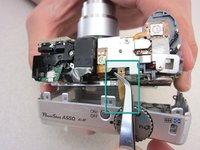
Unscrew a total of 6 4.45 mm phillips head screws using a #00 phillips head screwdriver.
-
There are 2 screws on the left side (when looking at the front of the camera).
-
There are 3 screws on the bottom
-
There is 1 screw on the right side
 Ask FixBot
-
-
-
Turn to the bottom of the camera.
-
Open the memory card cover by sliding the "CARD/BATT." button up, and then pulling the cover to the left.
-
-
-
This is what the SD card/battery compartment looks like when opened.
-
Remove one 4.45mm phillips head screw from the SD card/battery compartment using a #00 phillips head screwdriver.
-
-
-
Tool used on this step:Tweezers$4.99
-
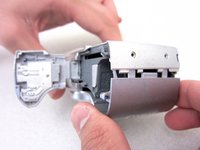
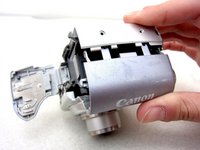
Start from the battery compartment and remove the back cover.
-
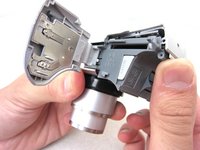
Remove the connecting ribbon from the body of the camera using a pair of tweezers.
-
-
-
Once the ribbon connecting the back cover is removed, the back of the camera body should look like this.
-
-
-
-
-
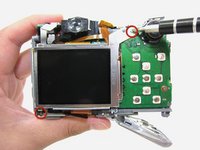
Remove 2 4.35mm phillips head screws from around the LCD screen using a #00 phillips head screwdriver.
-
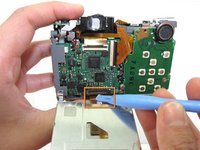
Loosen the black ribbon clamp using an iPod opening tool
-
Release the LCD screen by removing the ribbon from the body of the camera.
-
-
-
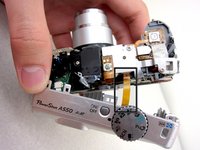
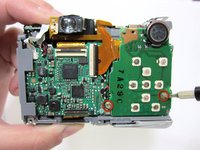
Unscrew 2 3.35mm phillips head screw from the face of the function key motherboard using a #00 phillips head screwdriver.
-
-
Tool used on this step:Tweezers$4.99
-
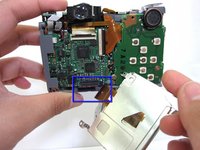
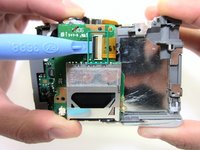
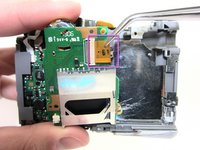
Release the black ribbon clamp attached to the back of the motherboard using an iPod opening tool to lift the clamp.
-
Remove the ribbon connecting the function key motherboard from the body of the camera using tweezers.
-
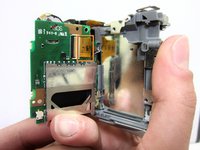
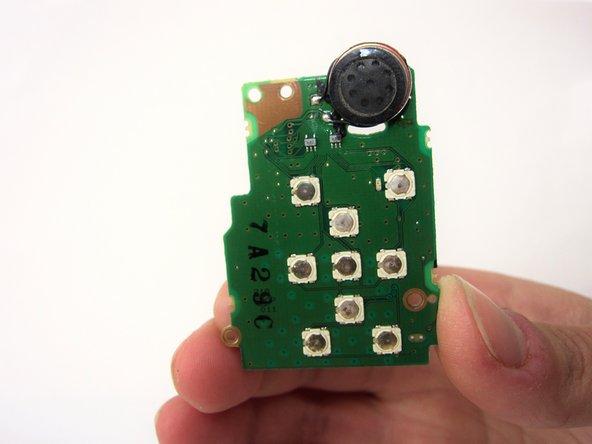
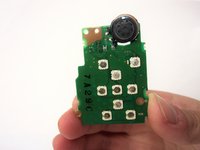
The function key motherboard has the SD card reader attached to the back. The motherboard and SD card combination should be replaced.
-
-










To reassemble your device, follow these instructions in reverse order.
Cancel: I did not complete this guide.
One other person completed this guide.

Team

Cal Poly, Team 8-6, Regan Spring 2011 Member of Cal Poly, Team 8-6, Regan Spring 2011
CPSU-REGAN-S11S8G6
4 Members
96 Guides authored
