Free Shipping on Domestic Orders $75+

Fujitsu Lifebook S6120 RAM Replacement

What you need

    1. Fujitsu Lifebook S6120 RAM Replacement, Battery: step 1, image 1 of 3 Fujitsu Lifebook S6120 RAM Replacement, Battery: step 1, image 2 of 3 Fujitsu Lifebook S6120 RAM Replacement, Battery: step 1, image 3 of 3
      • To prevent injury, make sure the laptop is unplugged and turned off before removing the battery.

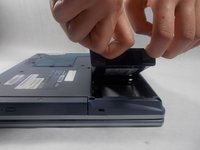
      • Push the two tabs in towards the laptop.

      • Lift the battery up and out from the frame of the laptop.

      Ask FixBot

      Add Comment

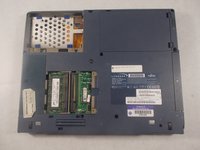
    1. Fujitsu Lifebook S6120 RAM Replacement, RAM: step 2, image 1 of 2 Fujitsu Lifebook S6120 RAM Replacement, RAM: step 2, image 2 of 2
      • Use a Philips head #0 to remove the 4mm screws to the RAM cover.

      Ask FixBot

      Add Comment

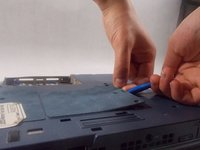
    2. Fujitsu Lifebook S6120 RAM Replacement: step 3, image 1 of 3 Fujitsu Lifebook S6120 RAM Replacement: step 3, image 2 of 3 Fujitsu Lifebook S6120 RAM Replacement: step 3, image 3 of 3
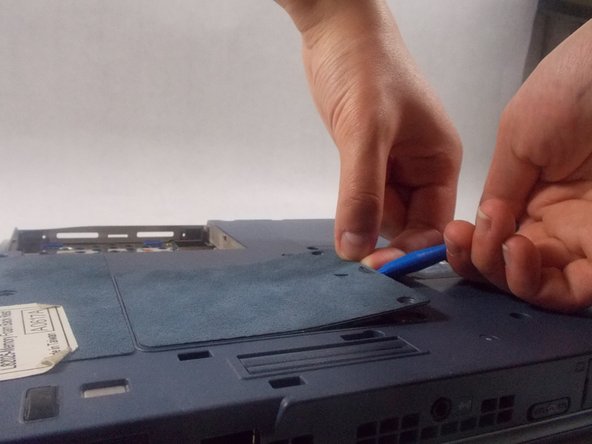
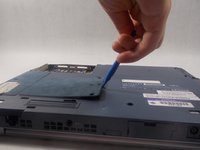
      • Use the plastic opening tool to lift the RAM cover.

      • Use your hands to slide the cover off.

      Ask FixBot

      Add Comment

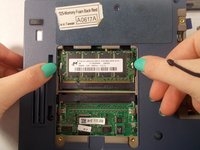
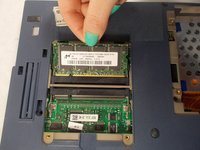
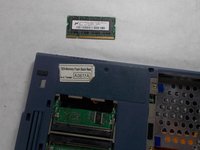
    3. Fujitsu Lifebook S6120 RAM Replacement: step 4, image 1 of 3 Fujitsu Lifebook S6120 RAM Replacement: step 4, image 2 of 3 Fujitsu Lifebook S6120 RAM Replacement: step 4, image 3 of 3
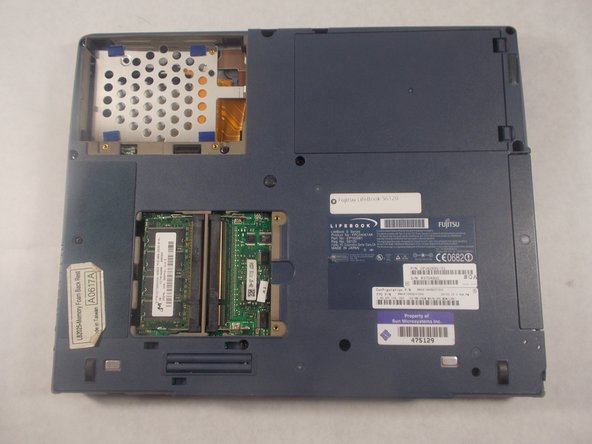
      • Remove RAM module by pushing security clips outward.

      • The RAM module should pop out.

      • Carefully pull RAM module out of the computer.

      Ask FixBot

      Add Comment

Conclusion

To reassemble your device, follow these instructions in reverse order.

Cancel: I did not complete this guide.

Jessi Gallant

Member since: 03/19/18

920 Reputation

7 Guides authored

Team

0 Guide Comments

Add Comment

View Statistics:

Past 24 Hours: 2

Past 7 Days: 5

Past 30 Days: 30

All Time: 833