Introduction
Use this guide if the rear case is cracked or broken and needs to be replaced. Replacing the rear case requires removing of screws which may be difficult if they are stripped.
What you need
-
-
Using a 1.5mm Hex Screwdriver, remove the two 3.0 mm hex screws on the front of the camera.
-
Using a Phillips #00 screwdriver, remove the two 3.0 mm screws on the bottom of the front face.
 Ask FixBot
-
-
-
Using a Phillips #00 screwdriver, remove the 3.0 mm screws on the bottom of the camera closer to the back.
-
Using a Phillips #00 screwdriver remove the two 3.0 mm screws on the back of the camera. This will remove the eyelet for the camera strap and the rear cover.
-
-
-
-
Using a 1.5mm Hex screwdriver, remove the 3.0 mm hex screw on top edge of silver panel.
-
Using a Phillips #00 screwdriver, remove the 3.0 mm screw on bottom edge.
-
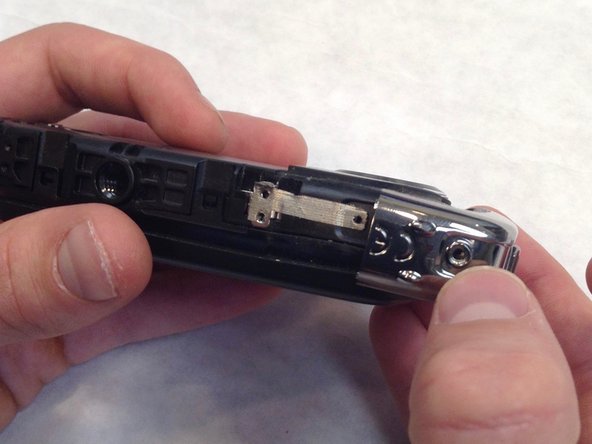
Once both screws are removed the silver side casing will slide off.
-
-
-
Unlatch the four clasps located on each side of the camera by hand.
-
The fourth clasp is concealed by the battery door. To reach the clasp see Fujifilm XP20 Battery Replacement for instructions.
-
-
-
Using a Phillips #00 screwdriver, remove the seven 3.0 mm screws.
-
Remove the remaining five 3.0 mm screws which hold the rear case and the control panel together.
-
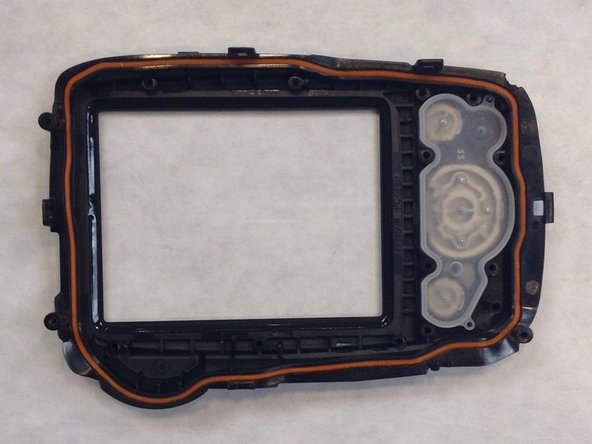
The rear panel is now free from the camera.
-






To reassemble your device, follow these instructions in reverse order.

Team

IUPUI, Team 1-1, Wilson Fall 2016 Member of IUPUI, Team 1-1, Wilson Fall 2016
IUPUI-WILSON-F16S1G1
3 Members
6 Guides authored
