Free Shipping on Domestic Orders $75+

Fujifilm FinePix XP70 Front and Back Panel Replacement

What you need

  1. Fujifilm FinePix XP70 Front and Back Panel Replacement, Battery: step 1, image 1 of 1
    • Power off the camera.

    • Leaving the camera on while removing presents the risk of electrical shock or permanent data loss.

    Ask FixBot

    Add Comment

  2. Fujifilm FinePix XP70 Front and Back Panel Replacement: step 2, image 1 of 2 Fujifilm FinePix XP70 Front and Back Panel Replacement: step 2, image 2 of 2
    • Push down on the center button and turn the dial on the side counterclockwise to open the battery compartment.

    Ask FixBot

    Add Comment

  3. Fujifilm FinePix XP70 Front and Back Panel Replacement: step 3, image 1 of 1
    • Pull the orange tab towards the hinge to release the battery.

    Ask FixBot

    Add Comment

  4. Fujifilm FinePix XP70 Front and Back Panel Replacement, Front and Back Panel: step 4, image 1 of 1
    • Remove one Phillips screw with a Phillips head 0 screwdriver

    • Remove one hex head screw with a hex 1.3 screwdriver bit.

    Ask FixBot

    Add Comment

  5. Fujifilm FinePix XP70 Front and Back Panel Replacement: step 5, image 1 of 1
    • Unscrew two 4.0mm long hex head screws with a hex 1.3 screwdriver bit.

    Ask FixBot

    Add Comment

  6. Fujifilm FinePix XP70 Front and Back Panel Replacement: step 6, image 1 of 1
    • Unscrew five 4.0mm screws with a Phillips head 0 screwdriver

    Ask FixBot

    Add Comment

  7. Fujifilm FinePix XP70 Front and Back Panel Replacement: step 7, image 1 of 1
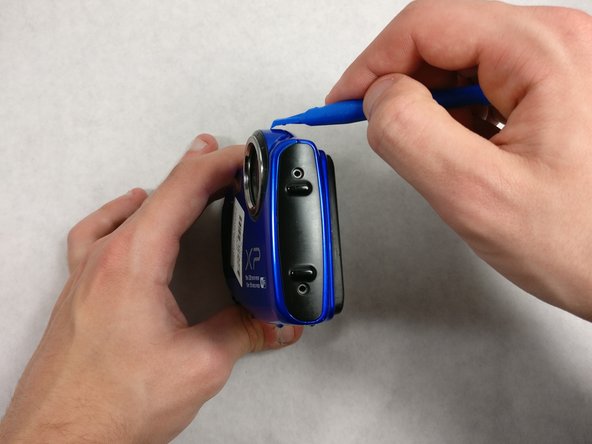
    • Pry the black bottom plate off using a plastic opening tool.

    • It is easier to start on the side of the open battery compartment.

    Ask FixBot

    Add Comment

  8. Fujifilm FinePix XP70 Front and Back Panel Replacement: step 8, image 1 of 2 Fujifilm FinePix XP70 Front and Back Panel Replacement: step 8, image 2 of 2
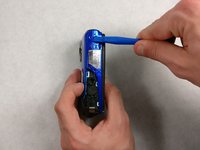
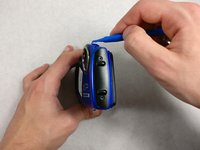
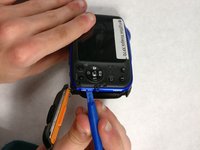
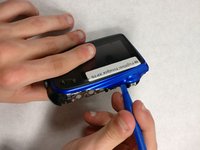
    • Pry the front plate off using a plastic opening tool.

    • It's recommended to start at the ridge on the top or bottom side.

    Ask FixBot

    Add Comment

  9. Fujifilm FinePix XP70 Front and Back Panel Replacement: step 9, image 1 of 1
    • Lift off the front plate.

    Ask FixBot

    Add Comment

  10. Fujifilm FinePix XP70 Front and Back Panel Replacement: step 10, image 1 of 3 Fujifilm FinePix XP70 Front and Back Panel Replacement: step 10, image 2 of 3 Fujifilm FinePix XP70 Front and Back Panel Replacement: step 10, image 3 of 3
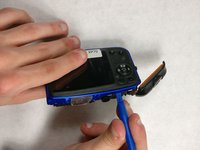
    • Pry the back plate off with a plastic opening tool

    Ask FixBot

    Add Comment

Conclusion

To reassemble your device, follow these instructions in reverse order.

Cancel: I did not complete this guide.

Olivia A

Member since: 10/24/16

505 Reputation

4 Guides authored

Team

1 Guide Comment

Very helpful, do you know if you can buy these parts? I need the back part of the camera.

thank you

jg

Jose Gerardo Hernandez Montiel - Reply Share

Add Comment

View Statistics:

Past 24 Hours: 1

Past 7 Days: 6

Past 30 Days: 24

All Time: 666