Free Shipping on Domestic Orders $75+

Fujifilm FinePix S8630 Flashbulb Replacement

What you need

    1. Fujifilm FinePix S8630 Flashbulb Replacement, Battery Door: step 1, image 1 of 1
      • Remove the M3 x 4mm screws from the bottom of your device as indicated by the picture. using the Philips Head J0 Screw Driver Bit .

      Ask FixBot

      Add Comment

    2. Fujifilm FinePix S8630 Flashbulb Replacement: step 2, image 1 of 1
      • Use your Philips Head Screwdriver to remove the M3 x 4mm screws from the left side of the device as indicated by the pictures.

      Ask FixBot

      Add Comment

    3. Fujifilm FinePix S8630 Flashbulb Replacement: step 3, image 1 of 1
      • Use your Philips Head Screwdriver to remove the M3 x 4mm screws from the right side of the device as indicated by the pictures.

      Ask FixBot

      Add Comment

    4. Fujifilm FinePix S8630 Flashbulb Replacement: step 4, image 1 of 2 Fujifilm FinePix S8630 Flashbulb Replacement: step 4, image 2 of 2
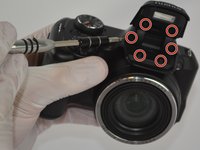
      • Use your Philips Head Screwdriver to remove the M3 x 4mm screws from the camera flash lid as indicated by the picture.

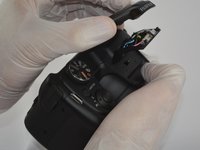
      • Remove the plastic cover from the flash lid by gentle pulling them apart or using the plastic opening tool.

      Ask FixBot

      Add Comment

    5. Fujifilm FinePix S8630 Flashbulb Replacement: step 5, image 1 of 1
      • Fold the lid down in order to access and remove the final M3 x 4mm screw using your Philips Head Screwdriver.

      Ask FixBot

      Add Comment

    6. Fujifilm FinePix S8630 Flashbulb Replacement: step 6, image 1 of 3 Fujifilm FinePix S8630 Flashbulb Replacement: step 6, image 2 of 3 Fujifilm FinePix S8630 Flashbulb Replacement: step 6, image 3 of 3
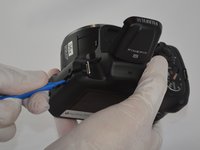
      • Use the plastic opening tool to pry the back and front casings of the camera apart.

      • Once pried apart use your hands to pull off the back plate of the camera.

      • You will need to apply a little bit of force to remove the back plate.

      Ask FixBot

      Add Comment

    7. Fujifilm FinePix S8630 Flashbulb Replacement: step 7, image 1 of 3 Fujifilm FinePix S8630 Flashbulb Replacement: step 7, image 2 of 3 Fujifilm FinePix S8630 Flashbulb Replacement: step 7, image 3 of 3
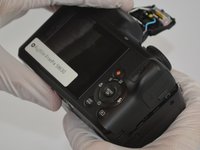
      • Once the back plate is removed twist the battery cover clockwise and it should easily dislodge.

      Ask FixBot

      Add Comment

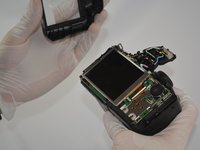
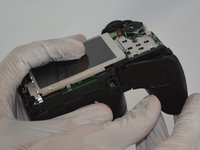
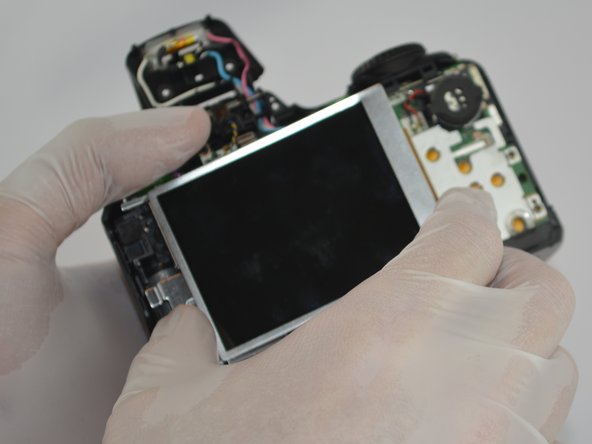
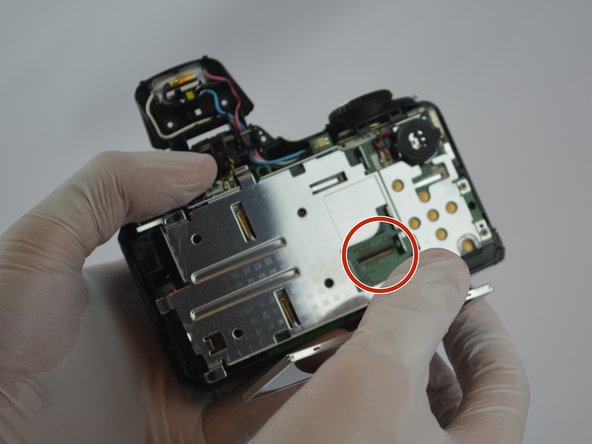
    1. Fujifilm FinePix S8630 Flashbulb Replacement, LCD Screen: step 8, image 1 of 3 Fujifilm FinePix S8630 Flashbulb Replacement, LCD Screen: step 8, image 2 of 3 Fujifilm FinePix S8630 Flashbulb Replacement, LCD Screen: step 8, image 3 of 3
      • Gently pull the tab out of the motherboard and then the LCD screen should easily be removed.

      Ask FixBot

      Add Comment

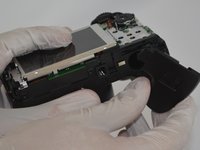
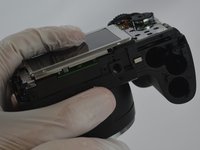
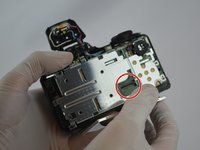
    1. Fujifilm FinePix S8630 Flashbulb Replacement, Flashbulb: step 9, image 1 of 3 Fujifilm FinePix S8630 Flashbulb Replacement, Flashbulb: step 9, image 2 of 3 Fujifilm FinePix S8630 Flashbulb Replacement, Flashbulb: step 9, image 3 of 3
      Ask FixBot

      Add Comment

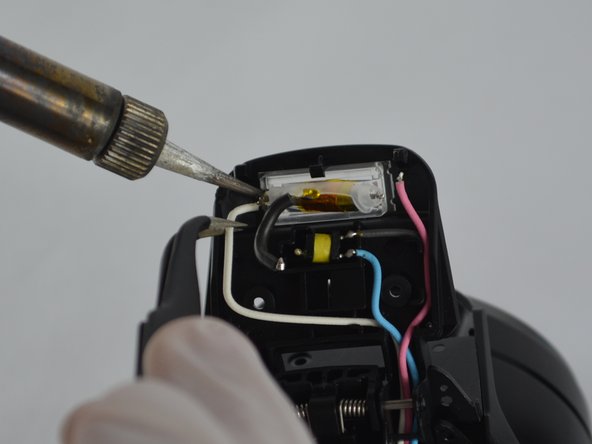
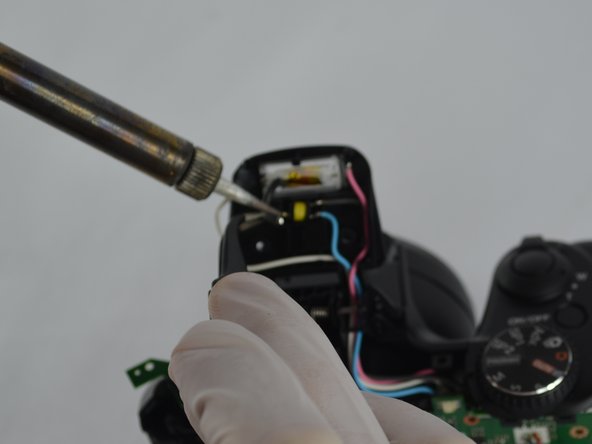
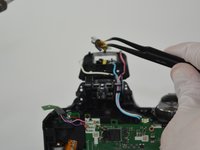
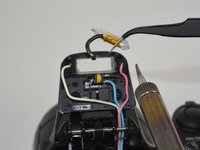
    2. Fujifilm FinePix S8630 Flashbulb Replacement: step 10, image 1 of 3 Fujifilm FinePix S8630 Flashbulb Replacement: step 10, image 2 of 3 Fujifilm FinePix S8630 Flashbulb Replacement: step 10, image 3 of 3
      Tool used on this step:
      Tweezers
      $4.99
      Buy
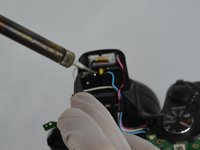
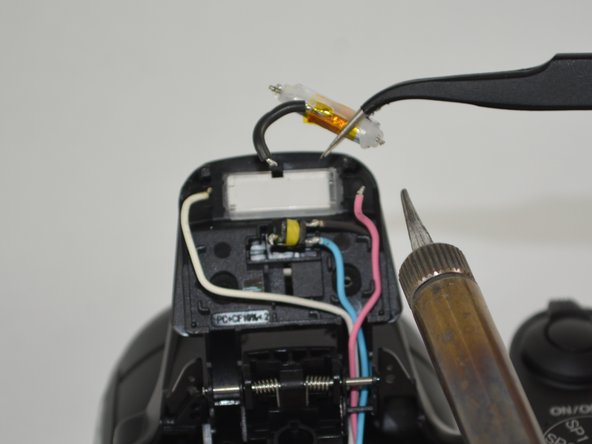
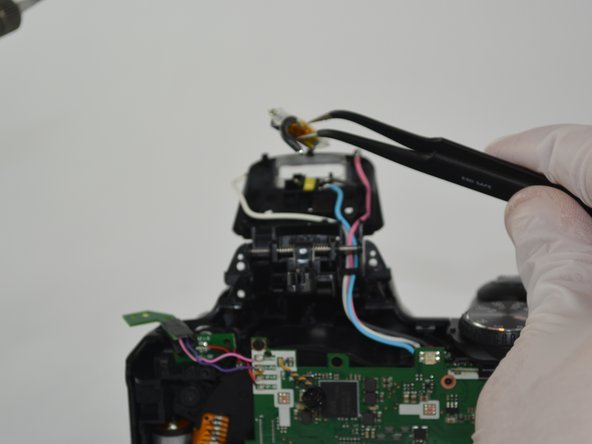
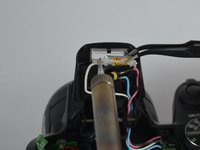
      • Using the tweezers remove the flashbulb.

      Ask FixBot

      Add Comment

Conclusion

To reassemble your device, follow these instructions in reverse order.

Cancel: I did not complete this guide.

Colton Lancsarics

Member since: 02/10/16

731 Reputation

6 Guides authored

Team

USF Tampa, Team 3-2, Sullivan Spring 2016 Member of USF Tampa, Team 3-2, Sullivan Spring 2016

USFT-SULLIVAN-S16S3G2

4 Members

30 Guides authored

1 Guide Comment

How do you discharge the capacitor on this model?

Flipping Turtle - Reply Share
Add Comment

View Statistics:

Past 24 Hours: 3

Past 7 Days: 6

Past 30 Days: 27

All Time: 743