Free Shipping on Domestic Orders $75+

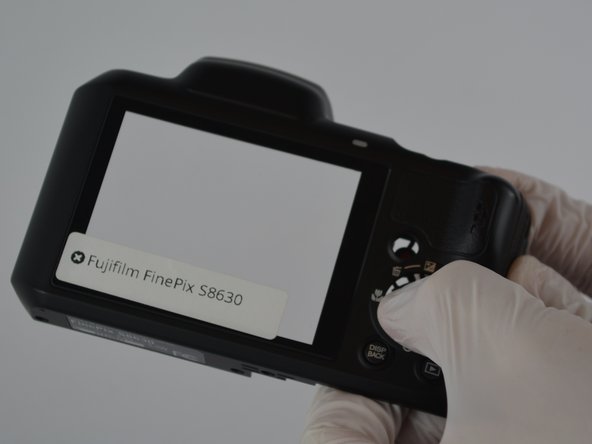
Fujifilm FinePix S8630 Button Panel Replacement

What you need

  1. Fujifilm FinePix S8630 Button Panel Replacement, Battery Door: step 1, image 1 of 1
    • Remove the M3 x 4mm screws from the bottom of your device as indicated by the picture. using the Philips Head J0 Screw Driver Bit .

    Ask FixBot

    Add Comment

  2. Fujifilm FinePix S8630 Button Panel Replacement: step 2, image 1 of 1
    • Use your Philips Head Screwdriver to remove the M3 x 4mm screws from the left side of the device as indicated by the pictures.

    Ask FixBot

    Add Comment

  3. Fujifilm FinePix S8630 Button Panel Replacement: step 3, image 1 of 1
    • Use your Philips Head Screwdriver to remove the M3 x 4mm screws from the right side of the device as indicated by the pictures.

    Ask FixBot

    Add Comment

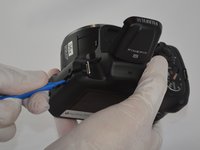
  4. Fujifilm FinePix S8630 Button Panel Replacement: step 4, image 1 of 2 Fujifilm FinePix S8630 Button Panel Replacement: step 4, image 2 of 2
    • Use your Philips Head Screwdriver to remove the M3 x 4mm screws from the camera flash lid as indicated by the picture.

    • Remove the plastic cover from the flash lid by gentle pulling them apart or using the plastic opening tool.

    Ask FixBot

    Add Comment

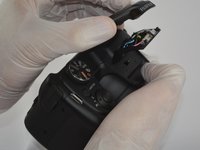
  5. Fujifilm FinePix S8630 Button Panel Replacement: step 5, image 1 of 1
    • Fold the lid down in order to access and remove the final M3 x 4mm screw using your Philips Head Screwdriver.

    Ask FixBot

    Add Comment

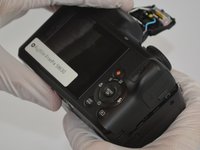
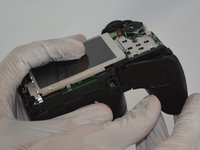
  6. Fujifilm FinePix S8630 Button Panel Replacement: step 6, image 1 of 3 Fujifilm FinePix S8630 Button Panel Replacement: step 6, image 2 of 3 Fujifilm FinePix S8630 Button Panel Replacement: step 6, image 3 of 3
    • Use the plastic opening tool to pry the back and front casings of the camera apart.

    • Once pried apart use your hands to pull off the back plate of the camera.

    • You will need to apply a little bit of force to remove the back plate.

    Ask FixBot

    Add Comment

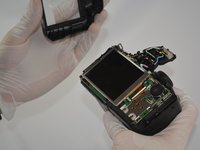
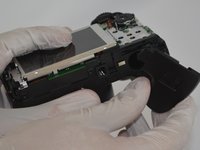
  7. Fujifilm FinePix S8630 Button Panel Replacement: step 7, image 1 of 3 Fujifilm FinePix S8630 Button Panel Replacement: step 7, image 2 of 3 Fujifilm FinePix S8630 Button Panel Replacement: step 7, image 3 of 3
    • Once the back plate is removed twist the battery cover clockwise and it should easily dislodge.

    Ask FixBot

    Add Comment

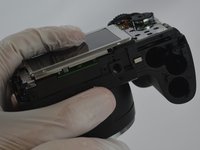
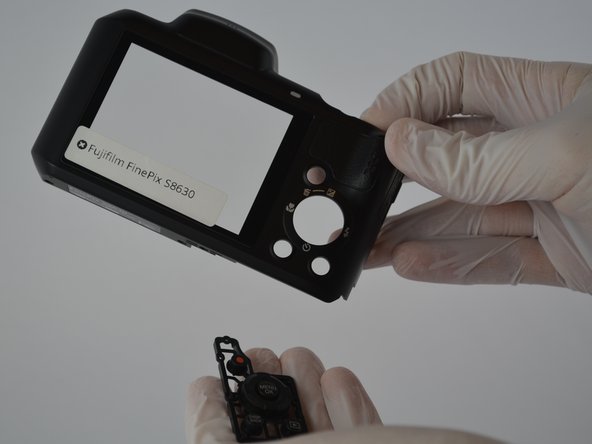
  8. Fujifilm FinePix S8630 Button Panel Replacement, Button Panel: step 8, image 1 of 3 Fujifilm FinePix S8630 Button Panel Replacement, Button Panel: step 8, image 2 of 3 Fujifilm FinePix S8630 Button Panel Replacement, Button Panel: step 8, image 3 of 3
    • Take the back casing and push the button panel out gently. The panel will easily fall out and can easily be replaced.

    Ask FixBot

    Add Comment

Conclusion

To reassemble your device, follow these instructions in reverse order.

Cancel: I did not complete this guide.

Colton Lancsarics

Member since: 02/10/16

731 Reputation

6 Guides authored

Team

USF Tampa, Team 3-2, Sullivan Spring 2016 Member of USF Tampa, Team 3-2, Sullivan Spring 2016

USFT-SULLIVAN-S16S3G2

4 Members

12 Guides authored

0 Guide Comments

Add Comment

View Statistics:

Past 24 Hours: 0

Past 7 Days: 18

Past 30 Days: 34

All Time: 725