
Fujifilm FinePix AX665 Sensor Replacement

Zheng Xu and 3 other contributors
Last updated on Dec 17, 2019
Views: 1.1K
View statistics:
- Past 24 Hours:
- 2
- Past 7 Days:
- 13
- Past 30 Days:
- 64
- All Time:
- 1,095
Comments: 0
No one has left comments on this guide. Will you be first?
Go to guide commentsCompleted: 1 2
1 person has marked this guide "completed." Will you be next?
2 people have marked this guide "completed." Including you — great job!
Favorites: 0 1
No one has favorited (and subscribed to) this guide. Will you be the first?
1 person has favorited (and subscribed to) this guide — and that's you!
Needs Better Images
Better photos will improve this guide. Help out by taking, editing, or uploading new ones!
Missing Details
Some of this guide's details are missing. Help users by adding tools, difficulty, or time.
Introduction
Go to step 1 ↓The sensor of the camera detects and conveys information used to make an image. If the sensor is damaged, the camera can not take a picture properly. If your pictures are coming out dark or faded, etc., you may need to replace the sensor. Follow the steps in this guide to safely replace the sensor.
The camera will be completely open in this replacement. Make you carefully look at the pictures to see which parts you are working with, so you are not removing the wrong thing.
What you need
Tools


-
-
-
Use a #00 Phillips screwdriver to remove all six screws around the camera that is holding the case.
 Ask FixBot
-
-
-
Remove the four metal clips around the camera until you can feel the metal bracket that holds the screen pop off.
-
-
-
Carefully flip the screen and remove the ribbon cable attaching it to the logic board.
-
-
-


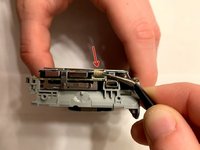
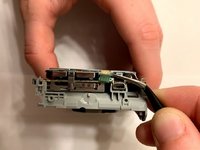


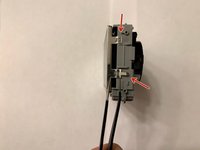
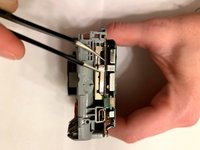


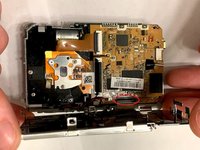
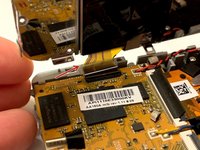


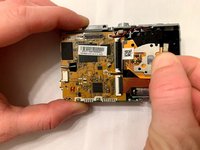
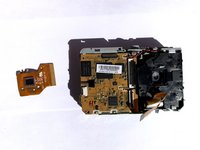
To reassemble your device, follow these instructions in reverse order.
Cancel: I did not complete this guide.
One other person completed this guide.

Team

Embry-Riddle Aeronautical University, Team S23-G6, McClure Fall 2019 Member of Embry-Riddle Aeronautical University, Team S23-G6, McClure Fall 2019
ERAU-MCCLURE-F19S23G6
6 Members
60 Guides authored
