Free Shipping on Domestic Orders $75+

FujiFilm FinePix S5100 Microphone Replacement

What you need

    1. FujiFilm FinePix S5100 Microphone Replacement, Battery: step 1, image 1 of 1
      • Ensure your camera is in the off position.

      • Orient the camera upside down with the lens facing to the left and the battery compartment facing directly toward you.

      Ask FixBot

      Add Comment

      • Open the battery door by pushing down and in the direction of the arrow on the door.

      Ask FixBot

      Add Comment

    2. FujiFilm FinePix S5100 Microphone Replacement: step 3, image 1 of 1
      • Remove four AA batteries from the camera.

      Ask FixBot

      Add Comment

    1. FujiFilm FinePix S5100 Microphone Replacement, Back Cover: step 4, image 1 of 1
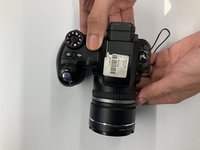
      • Turn the camera so the screen is facing you and the camera lens is facing away from you.

      Ask FixBot

      Add Comment

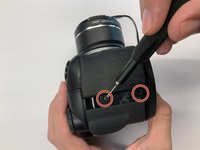
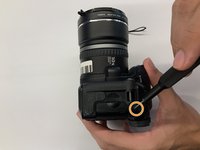
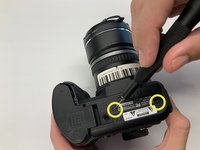
    2. FujiFilm FinePix S5100 Microphone Replacement: step 5, image 1 of 3 FujiFilm FinePix S5100 Microphone Replacement: step 5, image 2 of 3 FujiFilm FinePix S5100 Microphone Replacement: step 5, image 3 of 3
      • Remove two 0.9mm Phillips #000 screws from the right side of the camera.

      • Remove one 0.6mm Phillips #000 screw from the left side of the camera.

      • Remove two 0.6mm Phillips #000 screws from the bottom side of the camera.

      • When replacing the back cover on the camera, there will be an audible click which ensures the cover has completely seated with the rest of the camera.

      Ask FixBot

      Add Comment

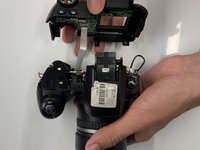
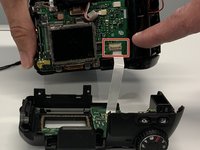
    3. FujiFilm FinePix S5100 Microphone Replacement: step 6, image 1 of 3 FujiFilm FinePix S5100 Microphone Replacement: step 6, image 2 of 3 FujiFilm FinePix S5100 Microphone Replacement: step 6, image 3 of 3
      • Carefully pull the back cover and separate it from the rest of the camera body.

      • Carefully flip up the top of the tan colored tab to disconnect the ribbon cable and completely remove the back cover.

      Ask FixBot

      Add Comment

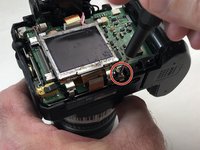
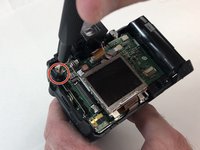
    1. FujiFilm FinePix S5100 Microphone Replacement, LCD Screen: step 7, image 1 of 2 FujiFilm FinePix S5100 Microphone Replacement, LCD Screen: step 7, image 2 of 2
      • Remove the two 1.3mm Phillips #000 screws from the LCD frame.

      Ask FixBot

      Add Comment

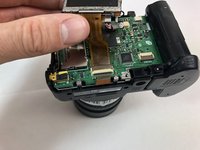
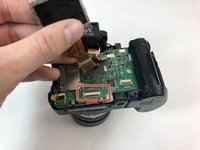
    2. FujiFilm FinePix S5100 Microphone Replacement: step 8, image 1 of 2 FujiFilm FinePix S5100 Microphone Replacement: step 8, image 2 of 2
      • Carefully using your hand, grab the LCD screen and pull upward and away from the motherboard.

      • Carefully using your hand, remove the tan digital tape by disconnecting it from the receiving port.

      • Remove the entire LCD screen from the motherboard.

      Ask FixBot

      Add Comment

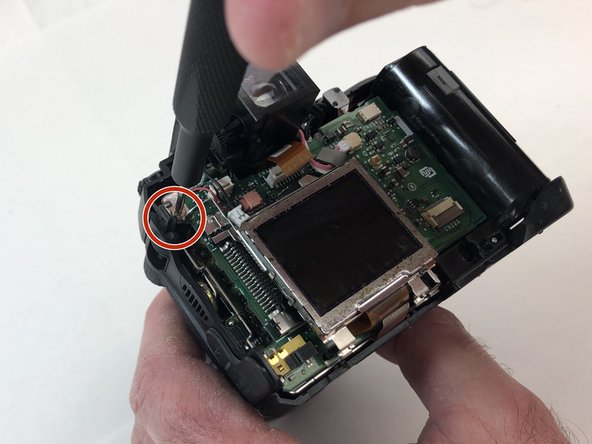
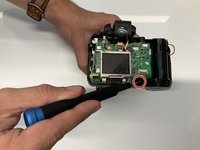
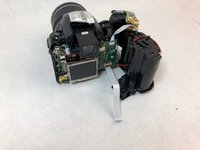
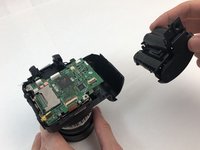
    1. FujiFilm FinePix S5100 Microphone Replacement, Battery Compartment: step 9, image 1 of 3 FujiFilm FinePix S5100 Microphone Replacement, Battery Compartment: step 9, image 2 of 3 FujiFilm FinePix S5100 Microphone Replacement, Battery Compartment: step 9, image 3 of 3
      • Remove the single 1.3mm Phillips #000 screw.

      • Carefully remove the battery compartment from the rest of the camera.

      Ask FixBot

      Add Comment

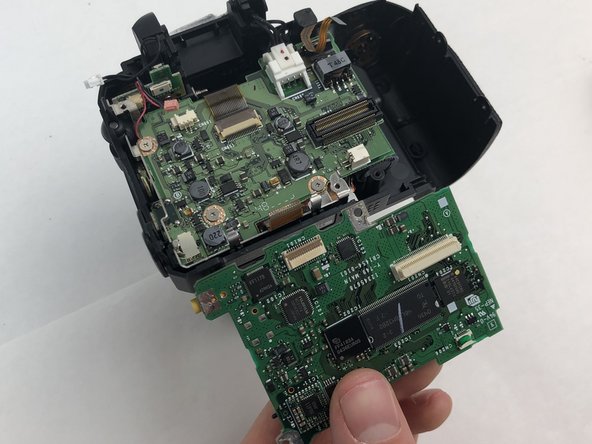
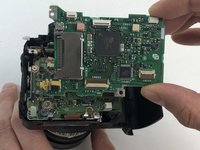
    1. FujiFilm FinePix S5100 Microphone Replacement, Motherboard: step 10, image 1 of 2 FujiFilm FinePix S5100 Microphone Replacement, Motherboard: step 10, image 2 of 2
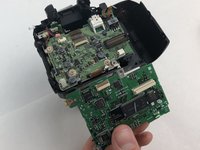
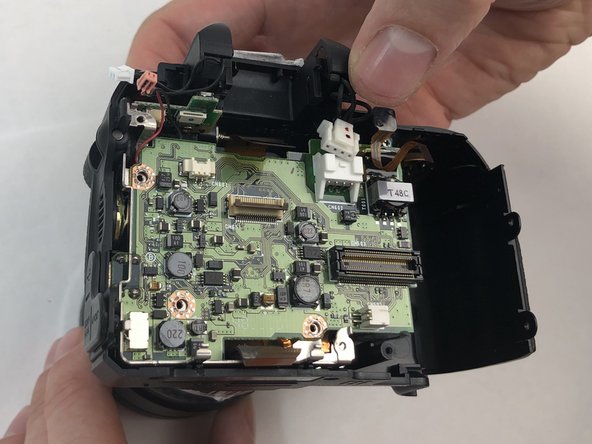
      • Carefully grab and remove the upper level motherboard from the camera.

      Ask FixBot

      Add Comment

    2. FujiFilm FinePix S5100 Microphone Replacement: step 11, image 1 of 1
      • Remove three 0.8mm Phillips #000 screws from the motherboard.

      Ask FixBot

      Add Comment

    3. FujiFilm FinePix S5100 Microphone Replacement: step 12, image 1 of 2 FujiFilm FinePix S5100 Microphone Replacement: step 12, image 2 of 2
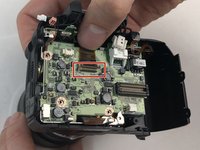
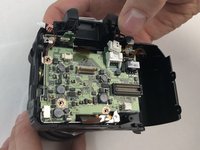
      • Carefully remove the tan digital tape from the receiving port.

      Ask FixBot

      Add Comment

    4. FujiFilm FinePix S5100 Microphone Replacement: step 13, image 1 of 1
      • Carefully remove the lower level motherboard from the camera and set aside.

      Ask FixBot

      Add Comment

    1. FujiFilm FinePix S5100 Microphone Replacement, Lens Compartment: step 14, image 1 of 2 FujiFilm FinePix S5100 Microphone Replacement, Lens Compartment: step 14, image 2 of 2
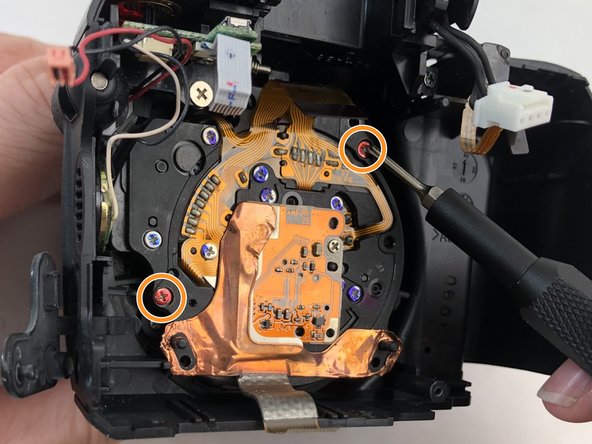
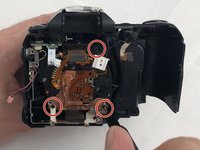
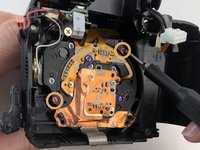
      • Remove three 1.0mm Phillips #000 black screws from the back of the lens compartment.

      • Remove two 0.4mm Phillips #000 red screws from the back of the lens compartment.

      Ask FixBot

      Add Comment

    2. FujiFilm FinePix S5100 Microphone Replacement: step 15, image 1 of 1
      • Carefully grab the metal brace and push upward to lift the metal brace off of the hook.

      Ask FixBot

      Add Comment

    3. FujiFilm FinePix S5100 Microphone Replacement: step 16, image 1 of 1
      • Carefully remove the lens compartment from the camera body.

      Ask FixBot

      Add Comment

    1. FujiFilm FinePix S5100 Microphone Replacement, Microphone: step 17, image 1 of 1
      • Carefully grab the microphone and cable and remove from the camera.

      Ask FixBot

      Add Comment

Conclusion

To reassemble your device, follow these instructions in reverse order.

Cancel: I did not complete this guide.

0 Guide Comments

Add Comment

View Statistics:

Past 24 Hours: 1

Past 7 Days: 3

Past 30 Days: 18

All Time: 385