Introduction
This replacement guide will show you how to access the LCD screen on a Fujifilm FinePix S5100 camera. It is recommended to use a magnetic pad to place the screws on in conjunction with the magnetic tools mentioned above. This is to prevent or minimize the chances of losing or misplacing a screw. The LCD screen is a delicate component so take care and use caution when handling it. Keep it away from hazardous liquids and other objects that may pose a risk to damage to the camera.
What you need
-
-
-
Orient the camera upside down with the lens facing to the left and the battery compartment facing directly toward you.
 Ask FixBot
-
-
-
Open the battery door by pushing down and in the direction of the arrow on the door.
-
-
-
-
-
-
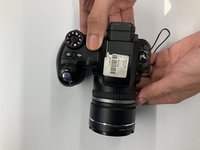
Turn the camera so the screen is facing you and the camera lens is facing away from you.
-
-
-
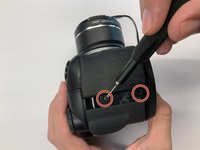
Remove two 0.9mm Phillips #000 screws from the right side of the camera.
-
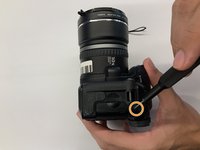
Remove one 0.6mm Phillips #000 screw from the left side of the camera.
-
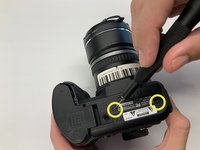
Remove two 0.6mm Phillips #000 screws from the bottom side of the camera.
-
-
-
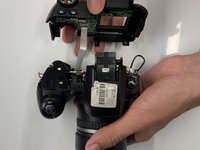
Carefully pull the back cover and separate it from the rest of the camera body.
-
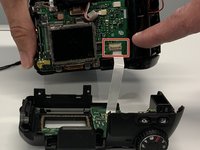
Carefully flip up the top of the tan colored tab to disconnect the ribbon cable and completely remove the back cover.
-
-
-
-
-
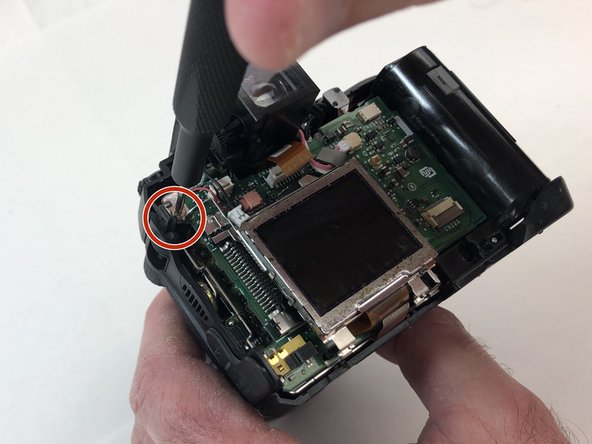
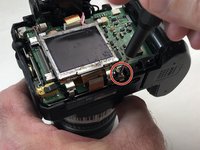
Carefully using your hand, grab the LCD screen and pull upward and away from the motherboard.
-
Carefully using your hand, remove the tan digital tape by disconnecting it from the receiving port.
-
Remove the entire LCD screen from the motherboard.
-





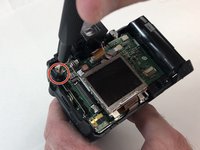


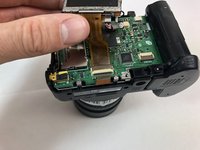
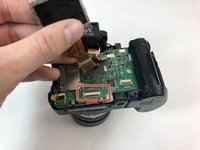
To reassemble your device, follow these instructions in reverse order.
Cancel: I did not complete this guide.
One other person completed this guide.

Team

Embry-Riddle Aeronautical University, Team S6-G1, Salas Fall 2019 Member of Embry-Riddle Aeronautical University, Team S6-G1, Salas Fall 2019
ERAU-SALAS-F19S6G1
4 Members
65 Guides authored
