Introduction
This guide will walk you through how to replace the battery compartment of a FujiFilm FinePix S5100. In the event that the battery compartment is damaged or needs to be inspected or replaced, this guide will show you how to safely remove and replace it.
What you need
-
-
-
Orient the camera upside down with the lens facing to the left and the battery compartment facing directly toward you.
 Ask FixBot
-
-
-
Open the battery door by pushing down and in the direction of the arrow on the door.
-
-
-
-
-
-
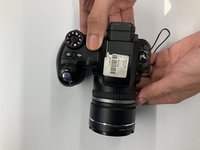
Turn the camera so the screen is facing you and the camera lens is facing away from you.
-
-
-
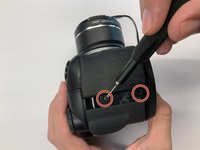
Remove two 0.9mm Phillips #000 screws from the right side of the camera.
-
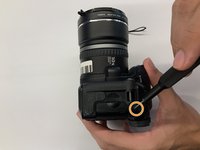
Remove one 0.6mm Phillips #000 screw from the left side of the camera.
-
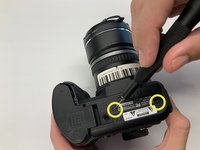
Remove two 0.6mm Phillips #000 screws from the bottom side of the camera.
-
-
-
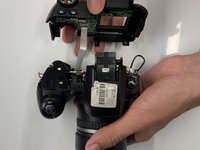
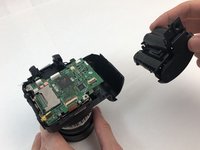
Carefully pull the back cover and separate it from the rest of the camera body.
-
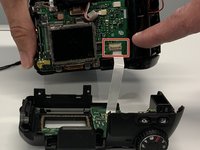
Carefully flip up the top of the tan colored tab to disconnect the ribbon cable and completely remove the back cover.
-
-
-
-
-
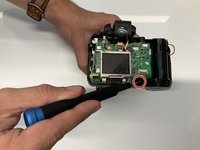
Remove the single 1.3mm Phillips #000 screw.
-
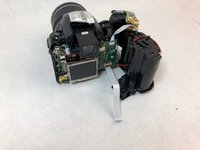
Carefully remove the battery compartment from the rest of the camera.
-
-






To reassemble your device, follow these instructions in reverse order.


1 Guide Comment
Will this process be the same for the S3300 and can you recommend the best place to purchase a replacement part?
