Free Shipping on Domestic Orders $75+

FujiFilm FinePix S4500 Viewfinder Replacement

What you need

    1. FujiFilm FinePix S4500 Viewfinder Replacement, LCD: step 1, image 1 of 1
      • Remove the two 3.5 mm Phillips #1 screws in these positions on the left side of the camera with a screwdriver.

      Ask FixBot

      Add Comment

    2. FujiFilm FinePix S4500 Viewfinder Replacement: step 2, image 1 of 1
      • Remove the three 3.5 mm Phillips #1 screws in these locations on the bottom of the camera with a screwdriver.

      Ask FixBot

      Add Comment

    3. FujiFilm FinePix S4500 Viewfinder Replacement: step 3, image 1 of 1
      • Remove the four 3.5 mm Phillips #1 screws in these positions on the right side of the camera with a screwdriver.

      Ask FixBot

      Add Comment

    4. FujiFilm FinePix S4500 Viewfinder Replacement: step 4, image 1 of 1
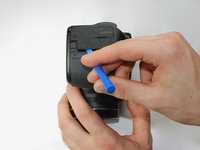
      • Use a plastic opening tool to separate the back panel from the camera on the left side.

      Ask FixBot

      Add Comment

    5. FujiFilm FinePix S4500 Viewfinder Replacement: step 5, image 1 of 1
      • Use a plastic opening tool to separate the back panel from the camera on the bottom.

      Ask FixBot

      Add Comment

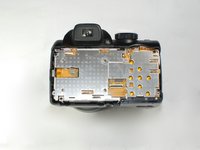
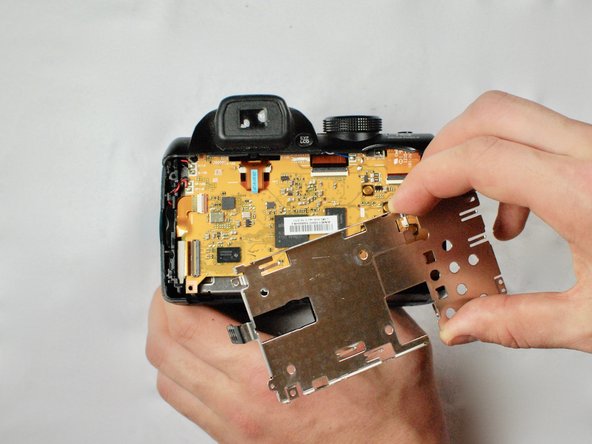
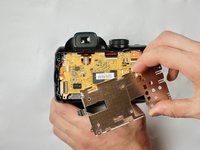
    6. FujiFilm FinePix S4500 Viewfinder Replacement: step 6, image 1 of 2 FujiFilm FinePix S4500 Viewfinder Replacement: step 6, image 2 of 2
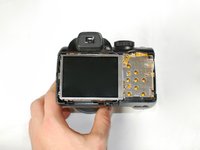
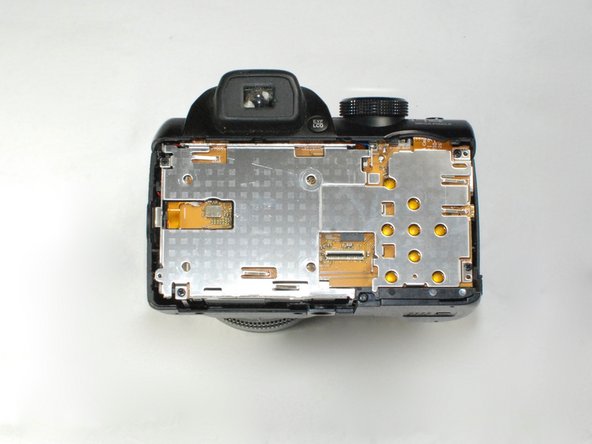
      • Use a plastic opening tool to separate the back panel from the camera on the left side, then remove the back panel from the camera.

      Ask FixBot

      Add Comment

    7. FujiFilm FinePix S4500 Viewfinder Replacement: step 7, image 1 of 1
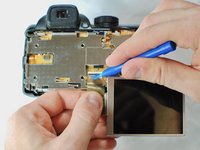
      • Use a plastic opening tool to separate the LCD screen from the camera.

      Ask FixBot

      Add Comment

    8. FujiFilm FinePix S4500 Viewfinder Replacement: step 8, image 1 of 2 FujiFilm FinePix S4500 Viewfinder Replacement: step 8, image 2 of 2
      • Flip up the black tab holding the LCD ribbon wire in place and remove wire.

      Ask FixBot

      Add Comment

    1. FujiFilm FinePix S4500 Viewfinder Replacement, Viewfinder: step 9, image 1 of 2 FujiFilm FinePix S4500 Viewfinder Replacement, Viewfinder: step 9, image 2 of 2
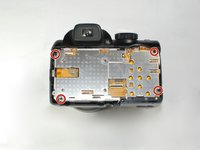
      • Remove the highlighted 2.7 mm Phillips #1 screws to release the metal cover.

      Ask FixBot

      Add Comment

    2. FujiFilm FinePix S4500 Viewfinder Replacement: step 10, image 1 of 1
      • Turn the camera on its side and remove the highlighted 2.7 mm Phillips #1 screws.

      Ask FixBot

      Add Comment

    3. FujiFilm FinePix S4500 Viewfinder Replacement: step 11, image 1 of 1
      • Lift and remove viewfinder cover

      Ask FixBot

      Add Comment

    4. FujiFilm FinePix S4500 Viewfinder Replacement: step 12, image 1 of 1
      • Use the plastic opening tool to remove the ribbon wire from inside the camera

      Ask FixBot

      Add Comment

    5. FujiFilm FinePix S4500 Viewfinder Replacement: step 13, image 1 of 1
      • Remove the viewfinder assembly from the camera

      Ask FixBot

      Add Comment

Conclusion

To reassemble your device, follow these instructions in reverse order.

Cancel: I did not complete this guide.

One other person completed this guide.

Vicente Rios

Member since: 01/25/17

708 Reputation

6 Guides authored

Team

Cal Poly, Team 9-4, Banghart Winter 2017 Member of Cal Poly, Team 9-4, Banghart Winter 2017

CPSU-BANGHART-W17S9G4

4 Members

51 Guides authored

0 Guide Comments

Add Comment

View Statistics:

Past 24 Hours: 0

Past 7 Days: 8

Past 30 Days: 29

All Time: 1,336