Free Shipping on Domestic Orders $75+

FujiFilm FinePix A340 Flash Unit Replacement

Views: 4.6K

View statistics:

Past 24 Hours:
2
Past 7 Days:
20
Past 30 Days:
96
All Time:
4,562
Comments: 0

No one has left comments on this guide. Will you be first?

Go to guide comments
Completed: 1

1 person has marked this guide "completed." Will you be next?

Favorites: 0

No one has favorited (and subscribed to) this guide. Will you be the first?

Time Required: 40 minutes - 1 hour
Difficulty: Difficult
Action Shots

Be an action hero! This guide needs images that better demonstrate how to perform specific actions.

Missing Steps

Oops! This guide is currently missing one or more important steps.

Inconsistent Images

Updating the images on this guide to be more consistent with the prerequisites would increase its awesomeness.

Needs Better Images

Better photos will improve this guide. Help out by taking, editing, or uploading new ones!

FujiFilm FinePix A340 Flash Unit Replacement

Introduction

Go to step 1 ↓

This guide explains how to replace the flash unit of a FujiFilm FinePix A340 camera.

The flash unit is a mechanism within a camera that creates a "flash" or quick burst of light while a photo is taken to illuminate the image. If the "flash" function of your camera is not working, you may need to replace your flash unit.

Note that this guide involves soldering, or using a special tool called a soldering iron to delicately weld parts together.

What you need

Tools

    1. FujiFilm FinePix A340 Flash Unit Replacement, Outer Case: step 1, image 1 of 1
      • To prevent the danger of electric shock, remove the batteries before continuing to the next steps.

      • Slide the battery cover to the side to release the batteries.

      Ask FixBot

      Add Comment

    2. FujiFilm FinePix A340 Flash Unit Replacement: step 2, image 1 of 3 FujiFilm FinePix A340 Flash Unit Replacement: step 2, image 2 of 3 FujiFilm FinePix A340 Flash Unit Replacement: step 2, image 3 of 3
      • Remove the five screws from the camera casing using a tri-point Y0 screwdriver.

      Ask FixBot

      Add Comment

    3. FujiFilm FinePix A340 Flash Unit Replacement: step 3, image 1 of 2 FujiFilm FinePix A340 Flash Unit Replacement: step 3, image 2 of 2
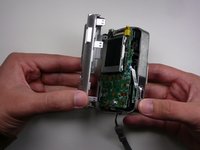
      • Grab the case with your hands and slowly pull back the outer casing.

      Ask FixBot
      Add Comment

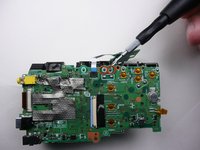
    1. FujiFilm FinePix A340 Flash Unit Replacement, LCD Screen: step 4, image 1 of 1
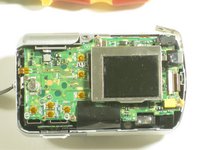
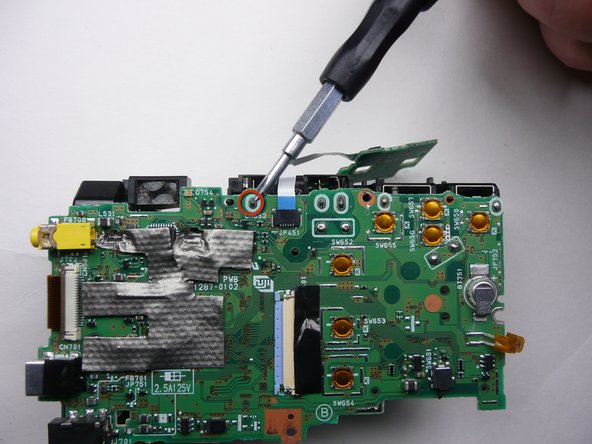
      • Locate the LCD screen and anchoring screw.

      • Remove screw.

      Ask FixBot
      Add Comment

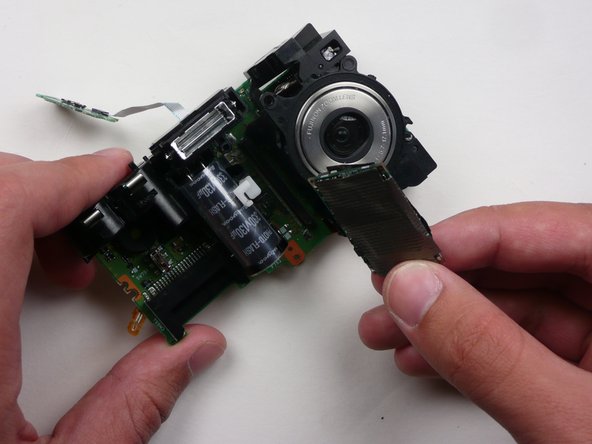
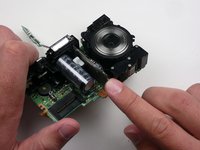
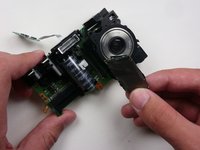
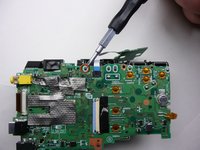
    2. FujiFilm FinePix A340 Flash Unit Replacement: step 5, image 1 of 1
      • Carefully pull the LCD screen away from the board it is connected to.

      Ask FixBot
      Add Comment

    3. FujiFilm FinePix A340 Flash Unit Replacement: step 6, image 1 of 1
      • Push both blue switches away from the holding device to detach the LCD ribbon.

      • Be careful when removing the ribbon. If you damage it, you will need to replace it as well.

      Ask FixBot

      Add Comment

    4. FujiFilm FinePix A340 Flash Unit Replacement: step 7, image 1 of 1
      • Carefully detach the ribbon from where it was connected by the blue pins.

      Ask FixBot

      Add Comment

    5. FujiFilm FinePix A340 Flash Unit Replacement: step 8, image 1 of 1
      • Now that everything has been disconnected from the board, remove LCD screen.

      Ask FixBot

      Add Comment

    1. FujiFilm FinePix A340 Flash Unit Replacement, Motherboard: step 9, image 1 of 1
      • Remove the two screws holding the circuit board down.

      Ask FixBot

      Add Comment

    2. FujiFilm FinePix A340 Flash Unit Replacement: step 10, image 1 of 2 FujiFilm FinePix A340 Flash Unit Replacement: step 10, image 2 of 2
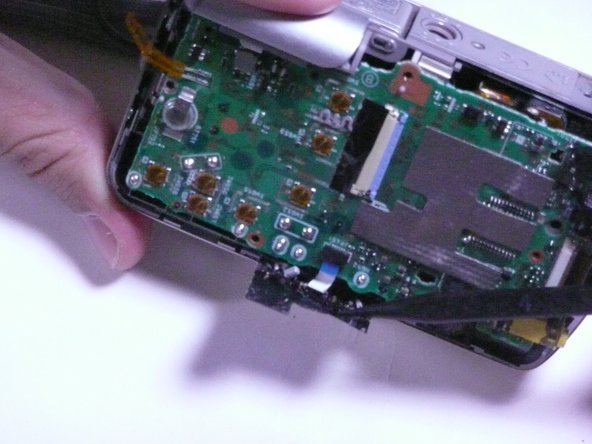
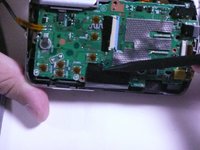
      • Remove the black sticky tape from the circuit board and camera case.

      Ask FixBot

      Add Comment

    3. FujiFilm FinePix A340 Flash Unit Replacement: step 11, image 1 of 2 FujiFilm FinePix A340 Flash Unit Replacement: step 11, image 2 of 2
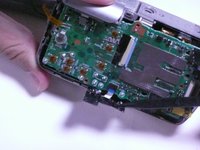
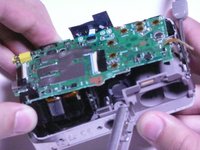
      • Gently pull the circuit board away from the front side of the camera.

      • Be careful when removing the assembly as to not break any solder leads or damage the lens assembly.

      Ask FixBot

      Add Comment

    4. FujiFilm FinePix A340 Flash Unit Replacement: step 12, image 1 of 2 FujiFilm FinePix A340 Flash Unit Replacement: step 12, image 2 of 2
      • Remove the motherboard by pulling it straight away from the assembly.

      Ask FixBot

      Add Comment

    1. FujiFilm FinePix A340 Flash Unit Replacement, Flash Unit: step 13, image 1 of 1
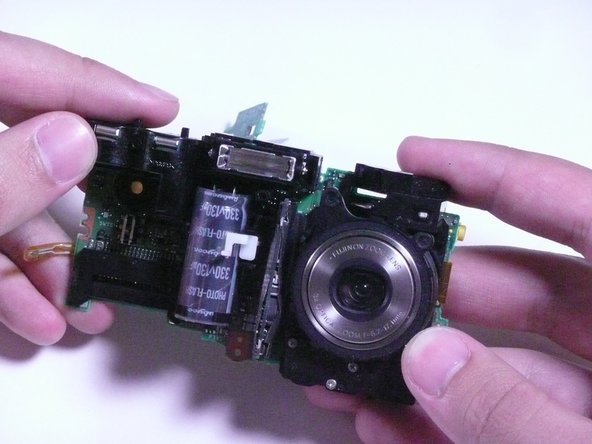
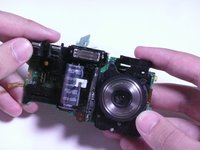
      • Locate the flash unit of the camera. It includes the camera's flash and a capacitor.

      Ask FixBot

      Add Comment

    2. FujiFilm FinePix A340 Flash Unit Replacement: step 14, image 1 of 2 FujiFilm FinePix A340 Flash Unit Replacement: step 14, image 2 of 2
      • Desolder the flash unit at its three points.

      • Be careful not to damage the circuit board or surrounding parts with the solder iron.

      • Learn more about electronics soldering here.

      Ask FixBot

      Add Comment

Conclusion

To reassemble your device, follow these instructions in reverse order.

Cancel: I did not complete this guide.

One other person completed this guide.

Cody

Member since: 04/18/10

47 Reputation

4 Guides authored

Team

Cal Poly, Team 7-11, Maness Spring 2010 Member of Cal Poly, Team 7-11, Maness Spring 2010

CPSU-MANESS-S10S7G11

3 Members

48 Guides authored

0 Guide Comments

Add Comment

View Statistics:

Past 24 Hours: 2

Past 7 Days: 20

Past 30 Days: 96

All Time: 4,562